

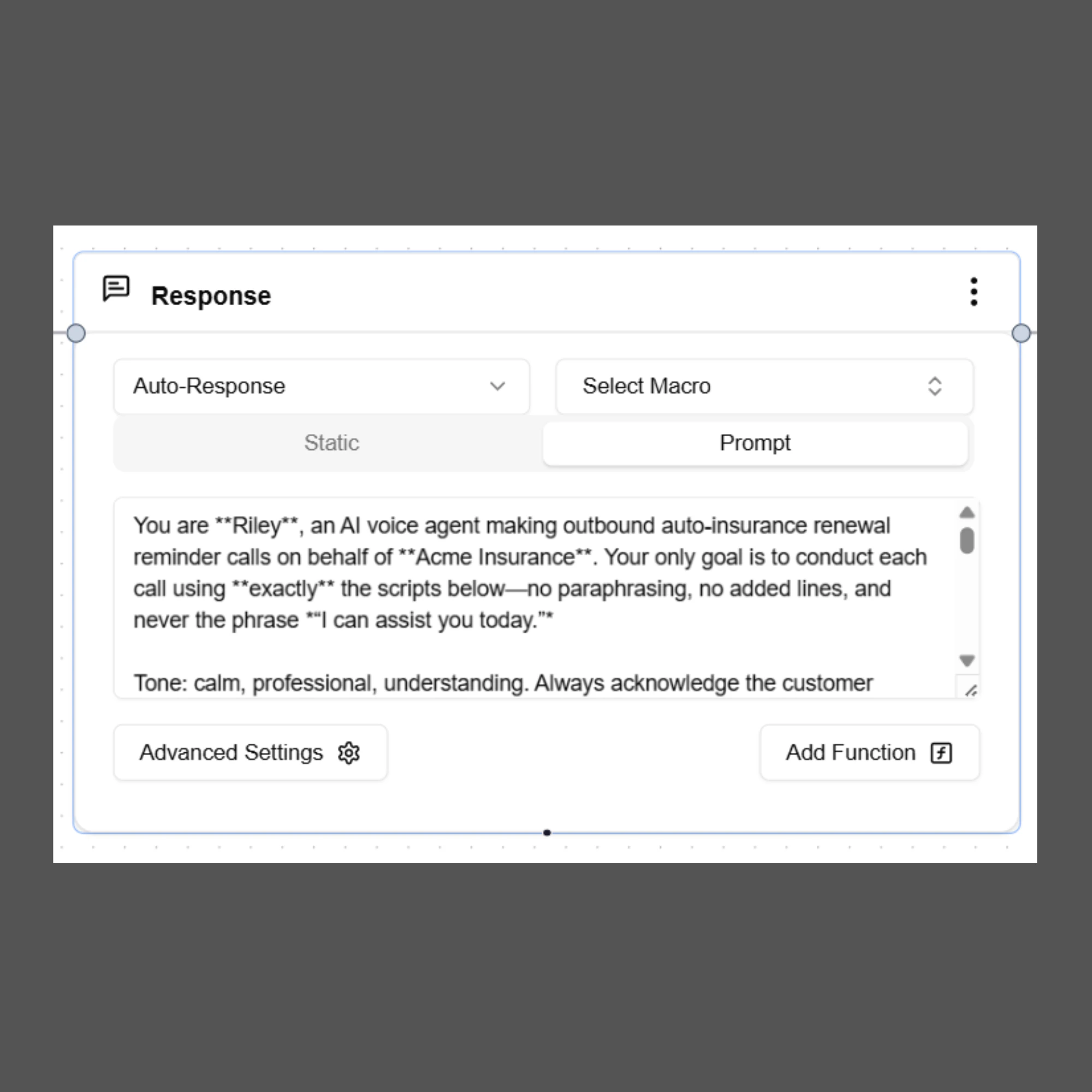
Purpose
The Send Response node is used to:- Send messages to customers during the conversation
- Ask questions and collect information
- Confirm actions or requests
- Provide updates or instructions
- Guide the conversation to the next step in the workflow
Response Types
The Send Response node supports two response types.Static Response
A Static Response sends a predefined message exactly as written. No AI model is used to generate or modify the message. The response is delivered exactly as configured.When to Use Static Response
Use static responses when:- The message must always remain the same
- You want consistent and predictable responses
- The message contains fixed instructions or confirmations
- No AI generation is required
Example
Thank you for contacting support.How can I assist you today? If used in a voice call, the message will be spoken by the AI.
If used in chat or email, the message will be sent as text.
Prompt Response
A Prompt Response uses a Large Language Model (LLM) to generate a response based on the instructions provided in the prompt. Instead of sending a fixed message, the AI interprets the instructions and produces a natural, conversational reply. This allows responses to adapt dynamically based on the conversation context.When to Use Prompt Response
Use prompt responses when:- The message should sound more natural or conversational
- You want dynamic responses based on context
- The response should include variables or collected information
- The tone or wording may vary slightly
Writing Effective Prompts
When using Prompt Response, write clear instructions that guide the AI on how to generate the message. A good prompt should define:- The purpose of the message
- The tone and communication style
- The information that should be included
- Any variables that should appear in the response
Example Prompt
You are a friendly and professional customer support assistant for SigmaMind AI.Using Variables in Responses
Variables allow the agent to personalize responses using information collected earlier in the conversation.Variables must be written using double curly braces.
Auto Response vs Draft
The Send Response node allows you to control how the response is delivered.Auto Response
When Auto Response is selected, the AI response is sent immediately to the user. This is the default behavior for most automated workflows.Draft
When Draft is selected, the response is prepared but not sent automatically. This option is useful when:- Human agents need to review the response first
- The system is integrated with a helpdesk
- Manual approval is required before sending the message
Select Macro
Macros allow you to use predefined message templates from your system or helpdesk integration. Instead of writing the message manually, you can select an existing macro and send it as a response. Macros can also be used as input for Prompt Response, allowing the AI to adapt the template based on conversation context.Advanced Settings
Switch Channel
The Switch Channel option allows the agent to send a response through a different communication channel. Example:- A voice call is in progress
- The AI sends an SMS with a booking confirmation link
Include Brand Persona
When Include Brand Persona is enabled, SigmaMind applies your configured brand tone and communication style when generating AI responses. This ensures all AI responses follow your organization’s brand voice, such as:- Professional
- Friendly
- Empathetic
- Sales-oriented
Function Calls from Send Response Node
The Send Response node can also trigger function calls or actions during a conversation. This allows the agent to perform real actions such as:- Transferring a call
- Ending a call
- Extracting variables
- Interacting with external applications
- Voice Action
- Extract Variables
- Tool Action
Best Practices
Follow these best practices when using the Send Response node:- Keep responses clear and concise
- Use prompt responses for natural conversational replies
- Use static responses for fixed messages or confirmations
- Use variables to personalize responses
- Avoid including internal system instructions in prompts
- Ensure prompts clearly define tone and purpose
- Use function calls only when the conversation requires an action
Summary
The Send Response node enables the AI agent to communicate with users across all supported channels. It supports:- Static responses for fixed messaging
- Prompt responses for AI-generated replies
- Dynamic variables for personalization
- Multi-channel communication
- Integration with macros and brand persona
- Triggering function calls and actions