

Available Nodes
SigmaMind currently supports the following nodes in Conversational Flow: Start TriggerDefines when the agent workflow begins. Send Response
Sends a message or AI-generated response to the user. Analyze Customer Message
Analyzes the customer’s message to detect intent or understand the request. Wait
Pauses the workflow for a defined period or until the next customer message is received. Branch
Routes the conversation to different paths based on defined conditions. Jump
Redirects the workflow to another node within the flow. Tool Action
Allows the agent to interact with external applications and APIs. Helpdesk Action
Performs actions within connected helpdesk systems such as updating tickets or adding tags.
Function Calls Inside Nodes
Some nodes, such as Send Response, allow you to configure Function Calls directly inside the node. These function calls enable the agent to perform real-world actions during a conversation.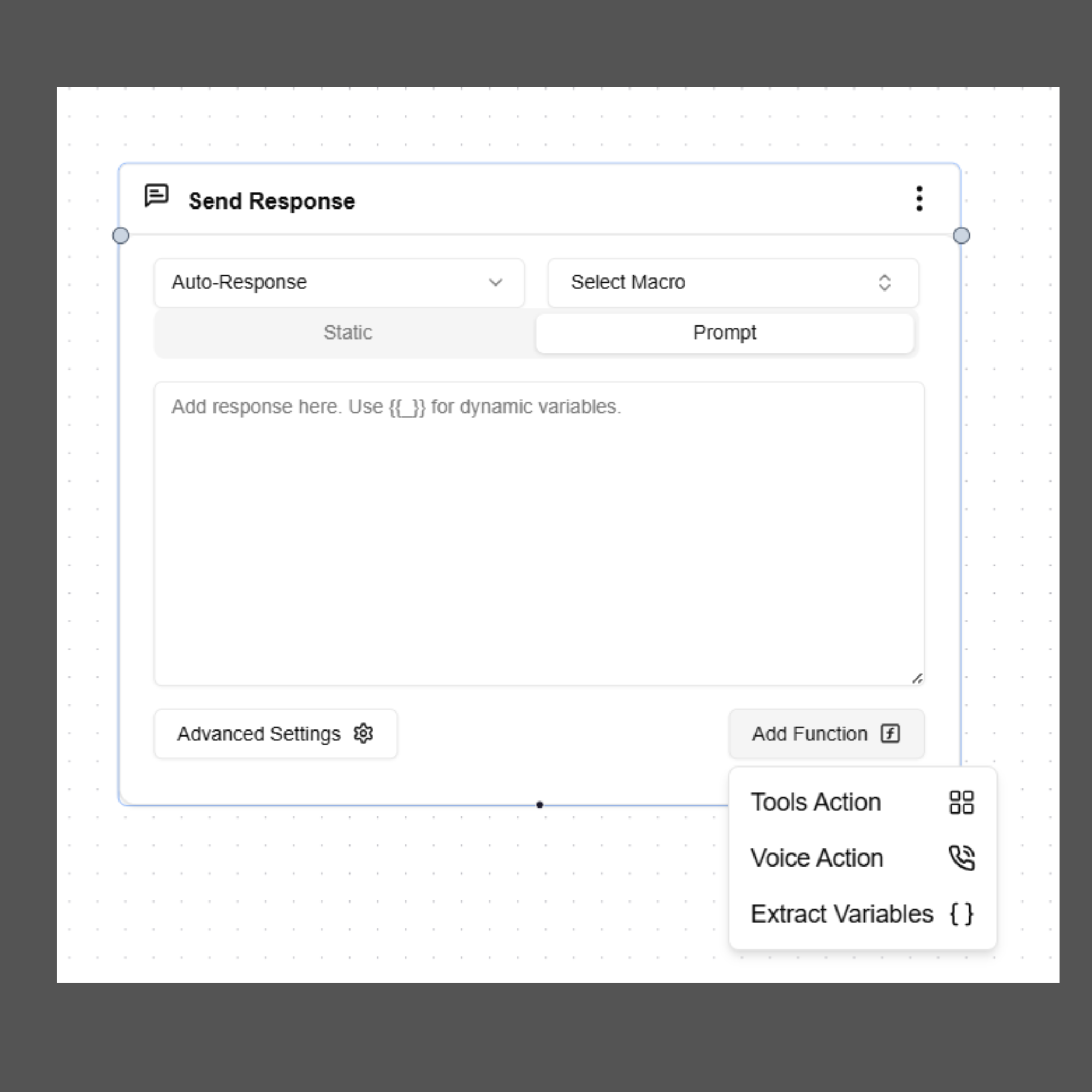
Control call behavior such as transferring a call or ending a call. Extract Variables
Capture structured data from the conversation for later use in workflows or integrations. Tool Action
Allow the agent to interact with external systems such as CRMs, databases, or scheduling platforms.
Refer to the individual node documentation to learn how to configure and use them within your agent workflows.