

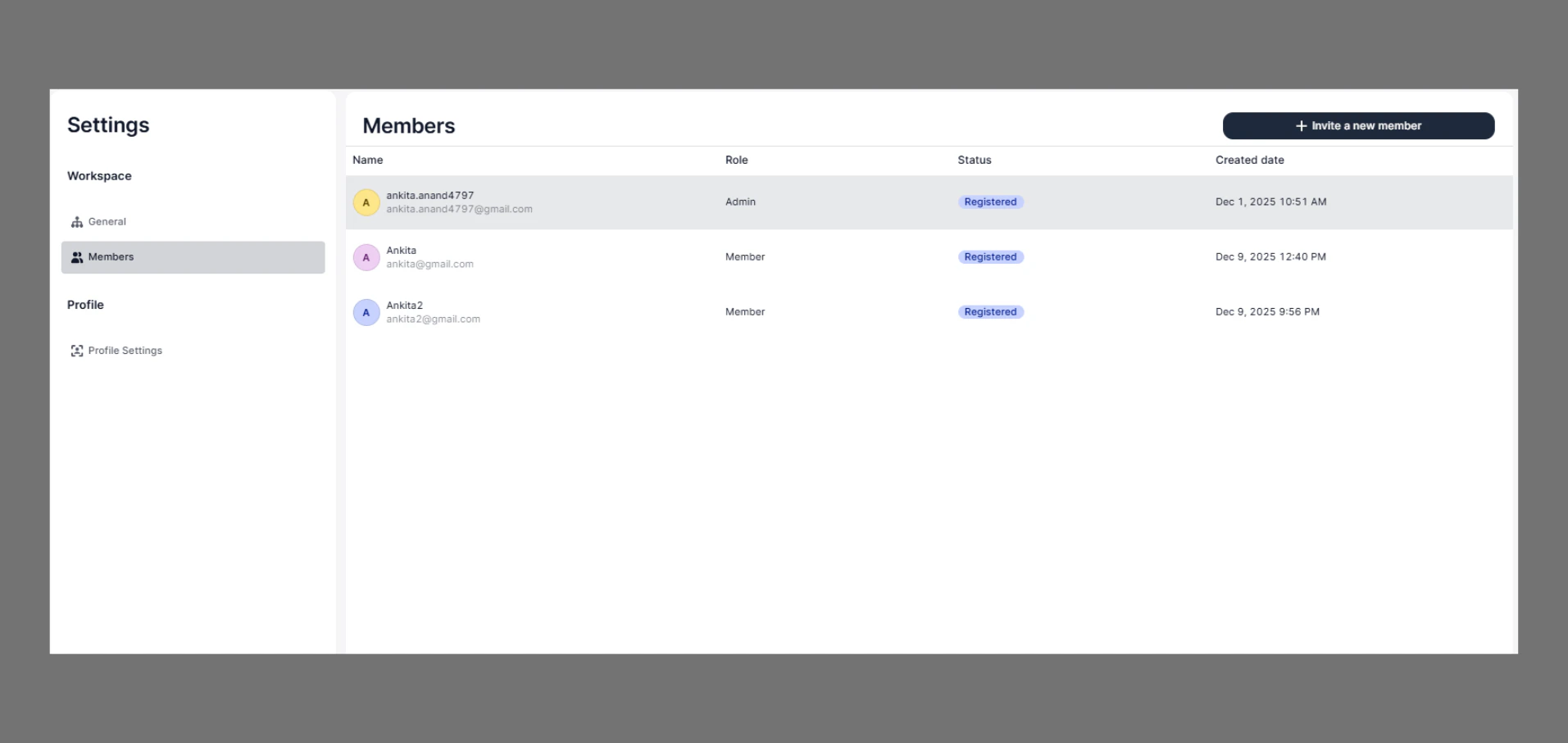
Navigate
Go to:Settings → Members
You Can View
- Member Name
- Email ID
- Role
- Status
- Created Date
Invite a Team Member
Steps
- Go to the Dashboard
- Click on Settings
- Click on Members
- Click “Invite a new member”
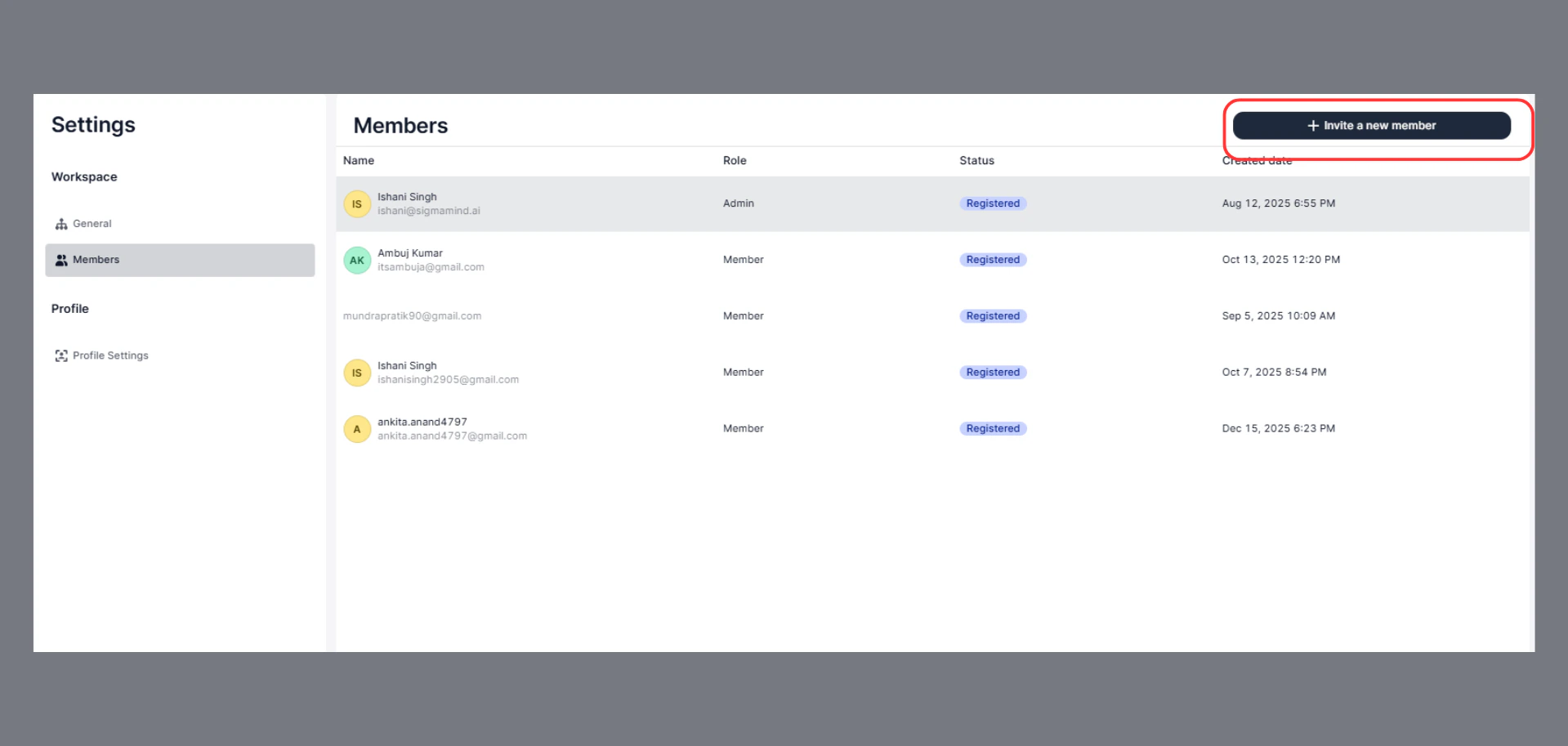
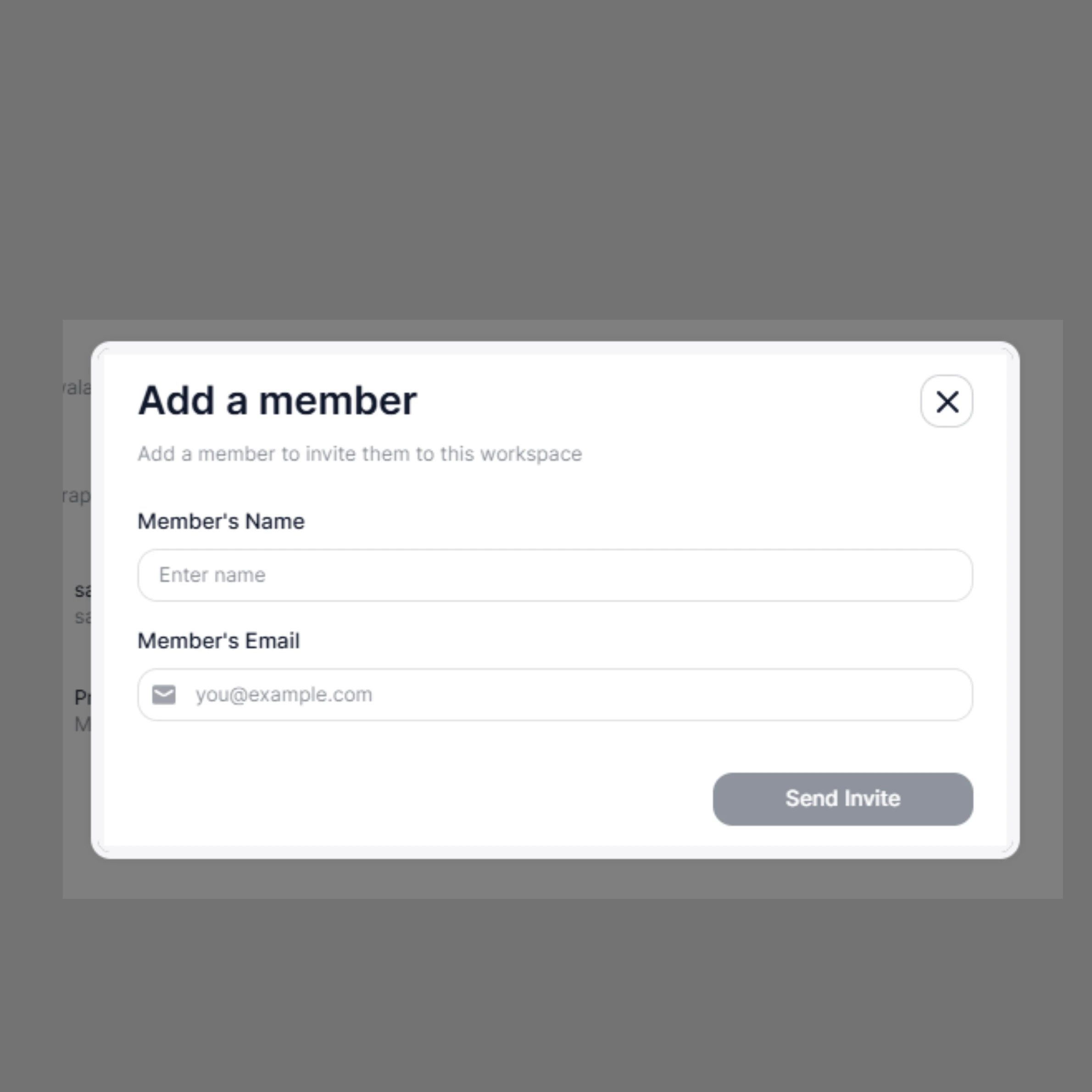
- Enter:
- Member’s Name
- Member’s Email ID
- Click “Send Invite”
What Happens Next
- The invited user receives an email invitation
- After accepting, they are added to the workspace
- The member appears in the Members list
Delete (Remove) a Member
Steps
- Go to Settings
- Click on Members
- Find the member you want to remove
- Click the three-dot menu (⋯) on the right side
- Click “Delete”
- Confirm the action