

Overview
Templates allow you to quickly create AI agents using pre‑built configurations designed for common business use cases. Instead of building an agent from scratch, you can select a template that already includes predefined prompts, logic, and behavior. This helps you save time, follow best practices, and deploy AI agents faster. Templates are ideal for use cases such as appointment booking, customer support, debt collection, insurance assistance, and more.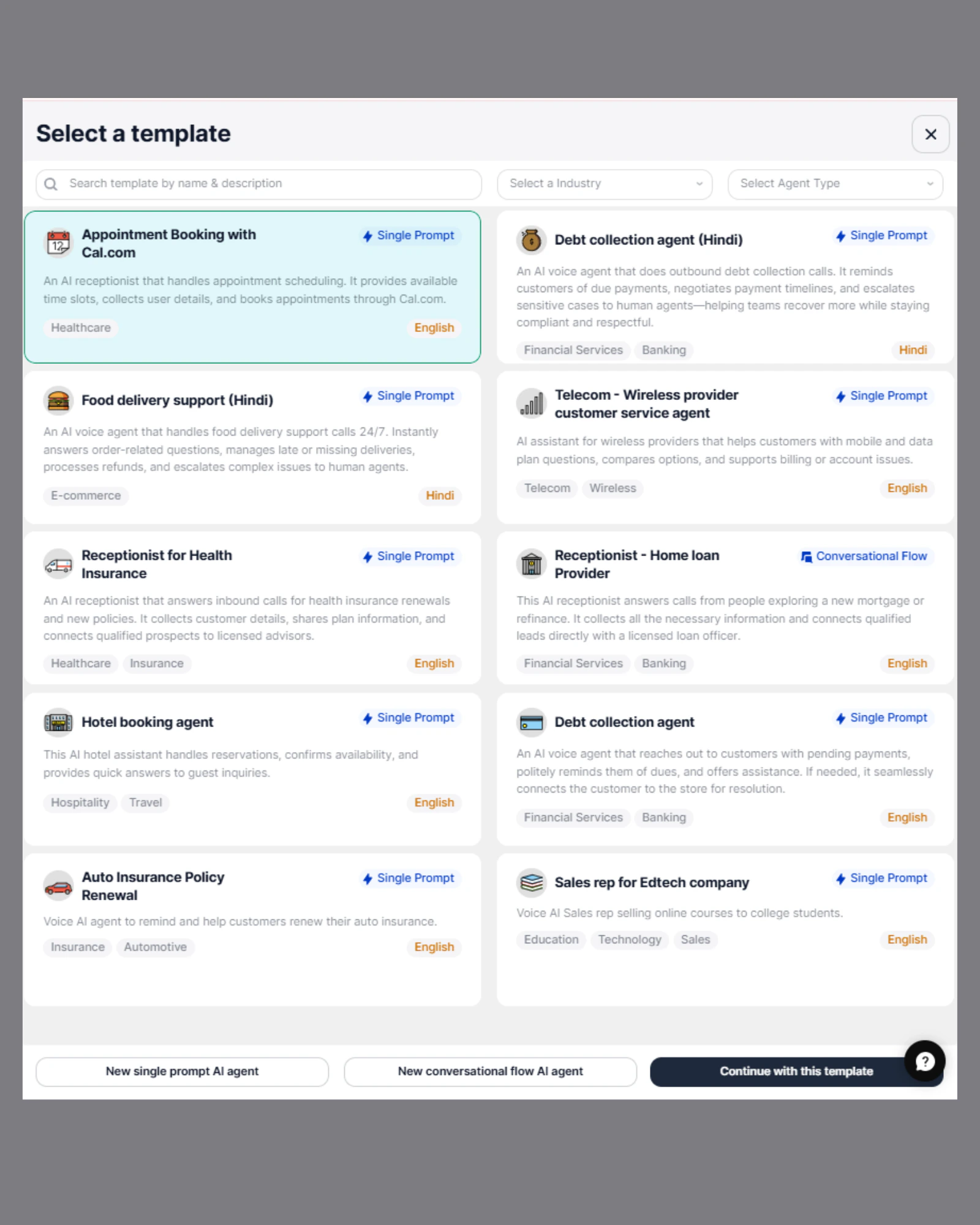
Why Use Templates
Using templates provides several advantages:- Faster setup – Create AI agents in seconds without starting from scratch.
- Pre‑configured logic – Templates include ready‑made prompts and workflows.
- Best practice design – Built using proven conversational structures.
- Easy customization – Modify prompts, voice, tools, and behavior as needed.
- Multiple use cases – Available for different industries and business needs.
Available Template Types
Templates are available for different agent types and industries. Examples include:Appointment & Booking
- Appointment booking assistant
- Hotel booking agent
- Service scheduling assistant
Customer Support
- Telecom customer service agent
- Food delivery support agent
- General customer support assistant
Financial Services
- Debt collection agent
- Insurance support agent
- Loan inquiry assistant
Sales & Business
- Sales representative agent
- Lead qualification assistant
Available Templates
SigmaMind provides the following pre-built templates: Appointment & Scheduling- Appointment Booking with Cal.com
- Hotel Booking Agent
- Food Delivery Support (Hindi)
- Telecom – Wireless Provider Customer Service Agent
- Debt Collection Agent
- Debt Collection Agent (Hindi)
- Receptionist – Home Loan Provider
- Auto Insurance Policy Renewal
- Receptionist for Health Insurance
- Sales Rep for EdTech Company
Template Categories
Templates are organized based on:- Industry – Healthcare, Banking, Telecom, Insurance, E‑commerce, etc.
- Agent Type – Single Prompt Agent or Conversational Flow Agent
- Language support – English, Hindi, and more
How to Use a Template
Follow these steps to create an agent using a template: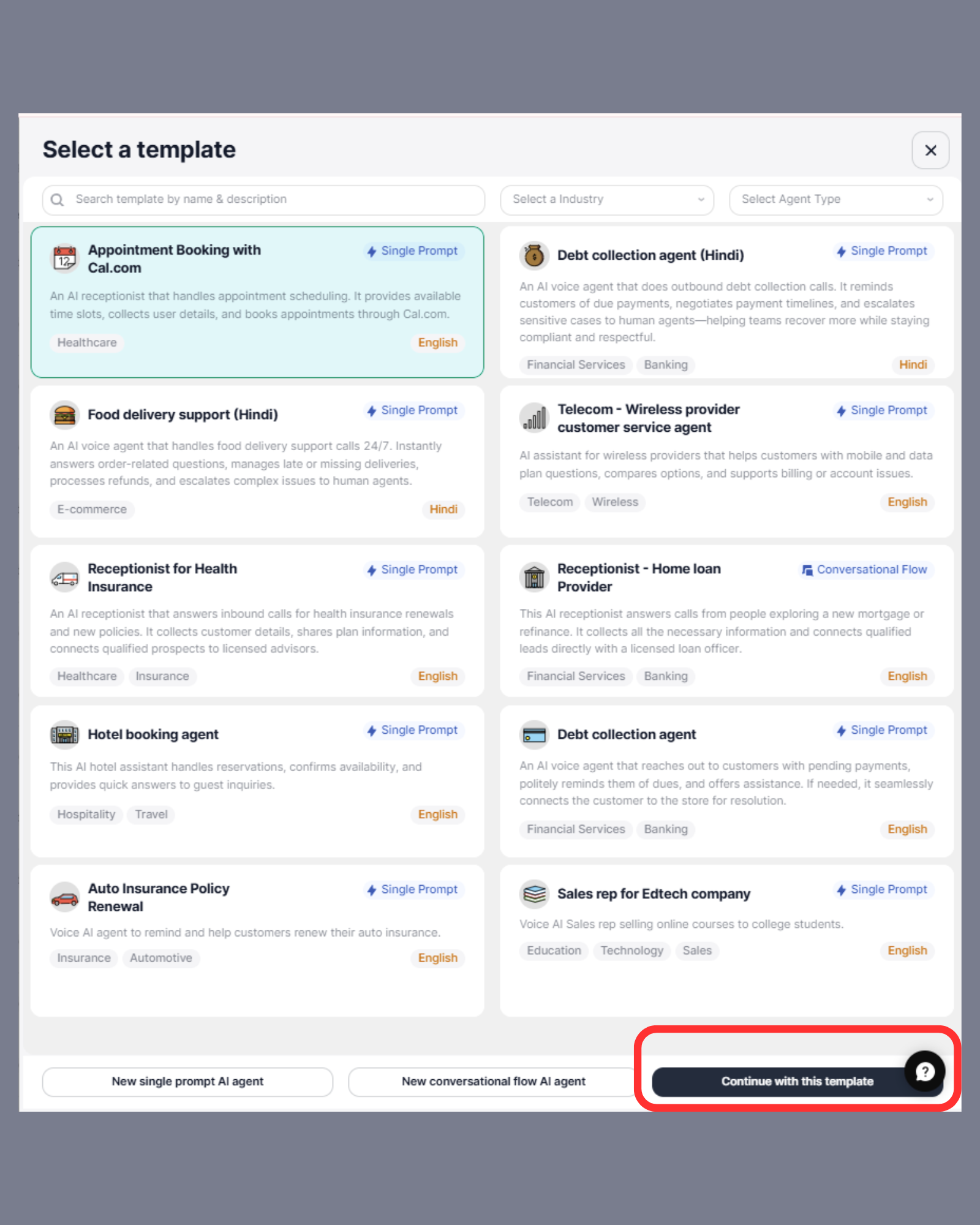
- Go to the SigmaMind AI Dashboard.
- Click on Create AI Agent.
- Browse and select any template based on your use case.
- Click Continue with this template.
-
Update and customize the template configuration as per your requirements.
Templates provide a ready‑made starting point, and you can modify prompts, voice, tools, and other settings to match your business needs.
Customizing a Template After selecting a template, you can modify:
- Agent name and description
- System prompt and instructions
- Voice and language
- Tools and integrations
- Call handling behavior
Single Prompt vs Conversational Flow Templates
Single Prompt Templates
These templates use one main instruction to control the agent’s behavior. The AI dynamically handles the entire conversation based on that instruction. Best for:- General support
- Appointment booking
- Sales inquiries
- Flexible conversations
Conversational Flow Templates
These templates use structured steps and predefined conversation paths. Best for:- Strict workflows
- Compliance‑based conversations
- Step‑by‑step processes
When to Use Templates
Templates are recommended when:- You want to deploy an AI agent quickly
- You are building common business use cases
- You want a starting point for customization
- You want to follow proven conversation patterns
Best Practices
- Choose the template closest to your use case
- Customize prompts to match your business tone
- Test the agent before deploying
- Add integrations if required
- Continuously improve based on real conversations
Next Steps
After creating an agent from a template, you can:- Configure voice and behavior
- Add tools and integrations
- Test the agent
- Deploy it for calls or automation