

View API Keys
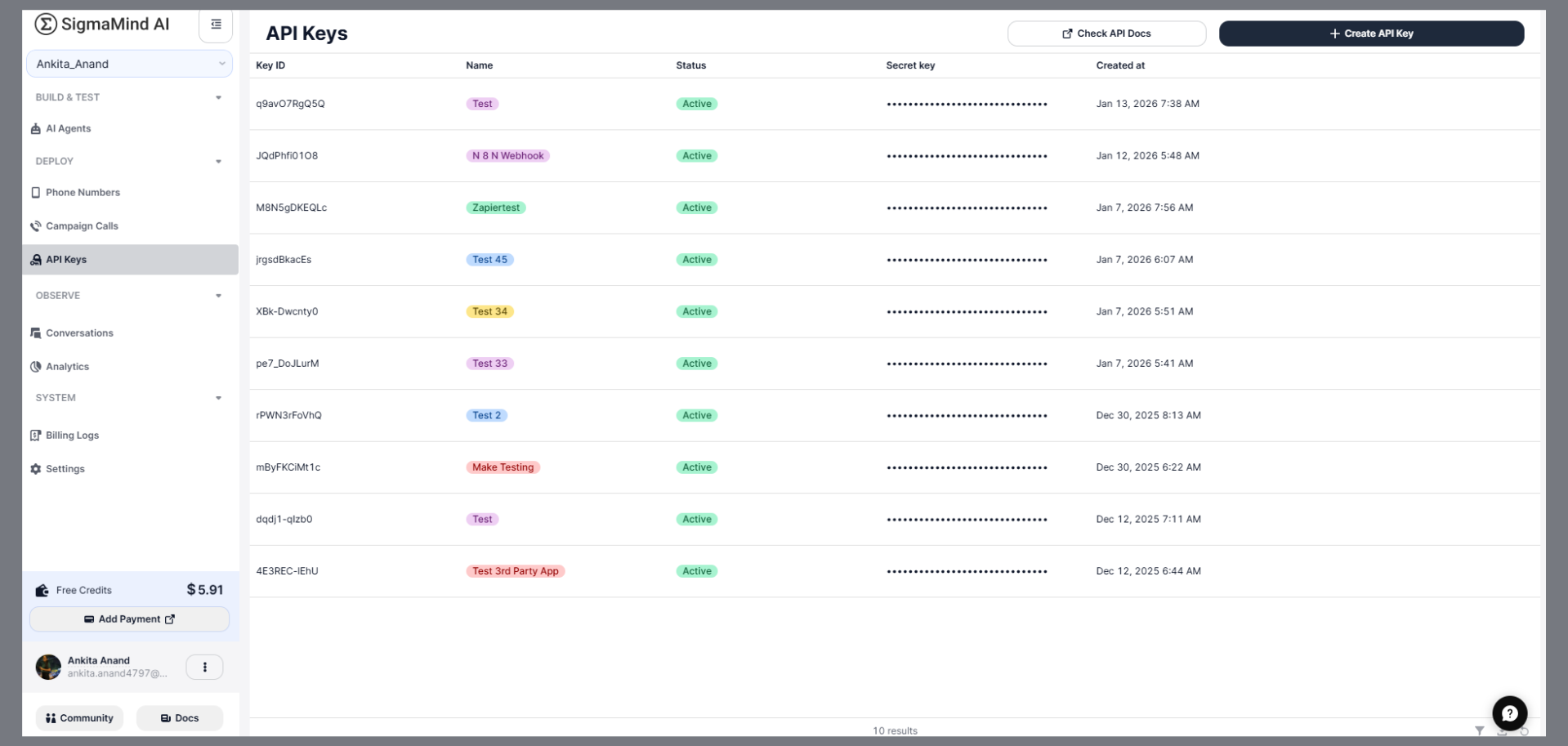
- Log in to your SigmaMind AI dashboard.
- From the left navigation panel, click API Keys under the Deploy section.
- Key ID
- Name
- Status
- Secret Key (masked)
-
Created Date
- Delete the existing key.
- Create a new API key.
- Update your integrations with the new key.
Create an API Key
Follow these steps to generate a new API key:- Go to API Keys from the left navigation panel.
- Click + Create API Key in the top-right corner.
- Enter a descriptive name to identify its purpose (e.g., “Webhook Integration” or “Production App”).
-
Click Create.
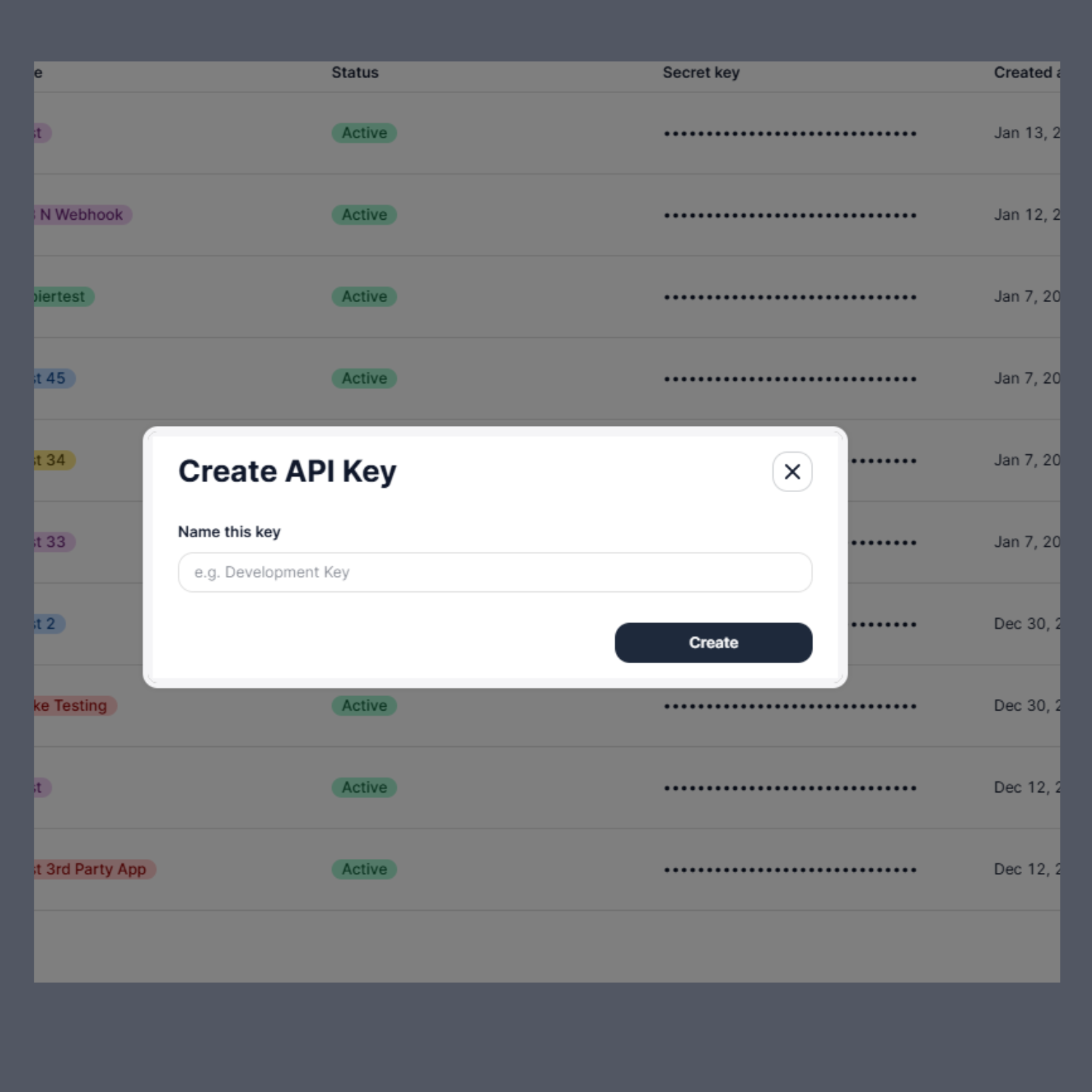
Copy and securely store the secret key immediately after it is generated.
For security reasons, the full secret key will not be visible again.
For security reasons, the full secret key will not be visible again.
Delete an API Key
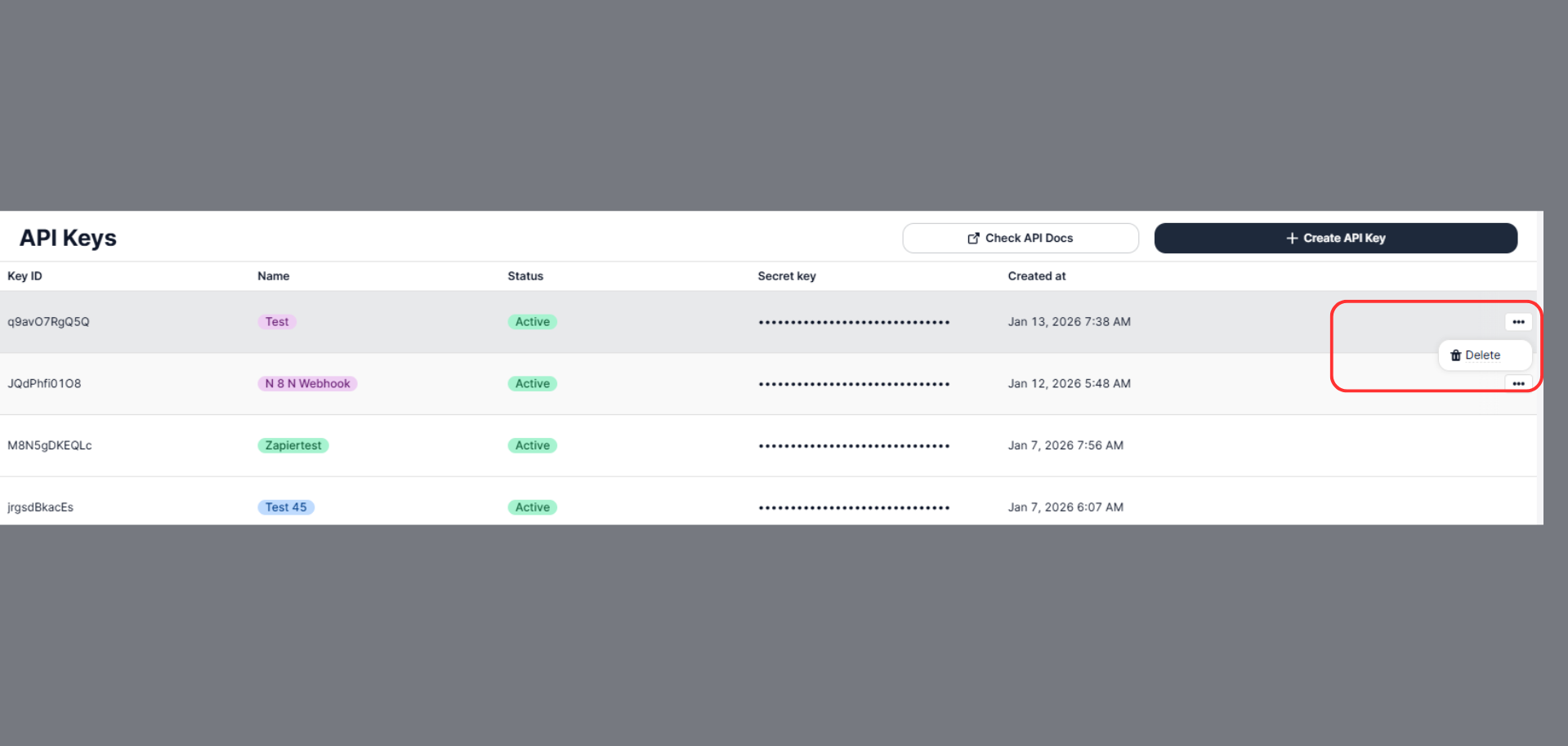
If you no longer need an API key, you can delete it:- Go to API Keys from the left navigation panel.
- Click the three-dot (⋯) menu next to the API key.
- Select Delete.
-
Confirm the deletion.
Best Practices
To maintain security and stability:- 🔒 Never share your secret key publicly.
- 🔁 Rotate keys periodically for production systems.
- 🧪 Use separate keys for development and production environments.
- ❌ Delete unused or compromised keys immediately.
When to Use API Keys
Use API Keys when:- Connecting external applications to SigmaMind AI
- Setting up webhook integrations
- Automating workflows using third-party tools (e.g., Zapier, Make, etc.)
- Making authenticated API calls to SigmaMind services