

Use cases
- Add context (dynamic variables) to inbound calls.
- Override the agent id.
- Inbound call system records.
Dashboard
You can set the inbound call webhook url from the SigmaMind Dashboard. Head over to the Phone Numbers section, and under Inbound Call Settings you will see the option to set the Inbound Webhook URL.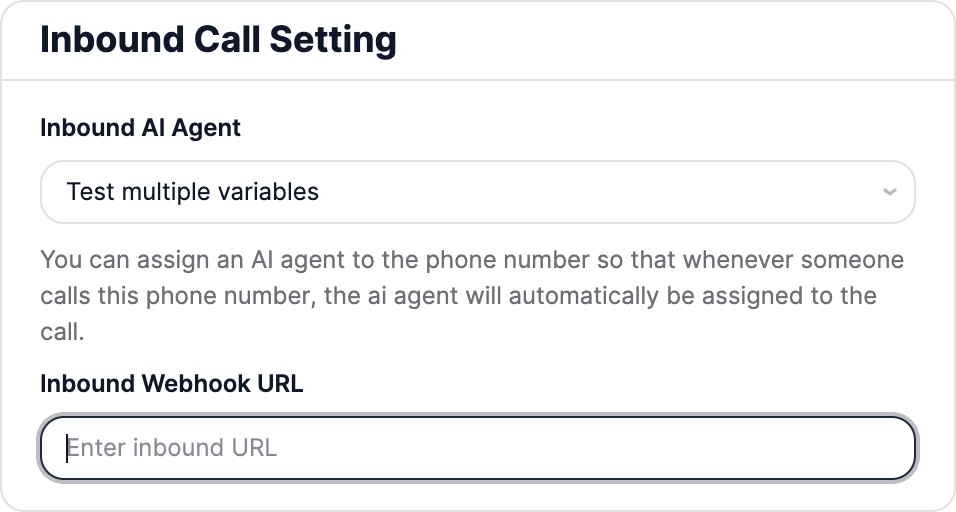
Webhook specifications
The webhook sends aPOST request to your endpoint and waits up to 10 seconds for a response. If no successful response is returned within that period, the system will retry the request up to 3 additional times. If a successfull response is not received after 3 retrials then the call will not be connected to the agent.
Request payload
The payload will include the following fields :event: the event which triggered the webhook (“inbound_call” in this case).agent_id: appears when an inbound agent ID is configured for the number.from_number: identifies the caller so you can process the call or SMS appropriately.to_number: identifies the recipient so you can process the call or SMS appropriately.
Response
Your endpoint should return a JSON response with a 2xx status code, containing upto 2 optional fields. The following fields are available:dynamic_variables: use this to define dynamic variables specific to this inbound call.override_agent_id: if you want to override the agent id, you can set it here.
FAQ
What happens to the inbound call while waiting for the webhook response?
What happens to the inbound call while waiting for the webhook response?
The call would remain in a ringing state.
What happens if my webhook endpoint doesn't respond successfully to the POST request?
What happens if my webhook endpoint doesn't respond successfully to the POST request?
The webhook waits up to 10 seconds for a response. If no successful response is returned within that period, the system will retry the request up to 3 additional times. If a successfull response is not received after 3 retrials then the call will not be connected to the agent and it will be disconnected. During this timeperiod the call will remain in a ringing state.
What happens to the inbound call once successful response is received?
What happens to the inbound call once successful response is received?
Once successfull response is received the call gets connected to the agent.
What happens if the inbound webhook URL is not set up for a number (the inbound webhook URL field is empty in the Inbound call settings)?
What happens if the inbound webhook URL is not set up for a number (the inbound webhook URL field is empty in the Inbound call settings)?
Then the webhook will not be triggered and the call will get directly connected to the agent.
What happens if the override_agent_id is not valid or the override agent is Disabled?
What happens if the override_agent_id is not valid or the override agent is Disabled?
Then the call will remain in ringing state and its not connected to the agent.
What if I want to reject unwanted calls coming to my number?
What if I want to reject unwanted calls coming to my number?
First, clear the default “Inbound AI Agent” in the “Inbound Call Setting” under “Phone Numbers” in the Sigmamind Dashboard. Then, in your webhook response, set
override_agent_id to null for calls you wish to reject. Such calls will remain in ringing state and will not get connected to the agent.