

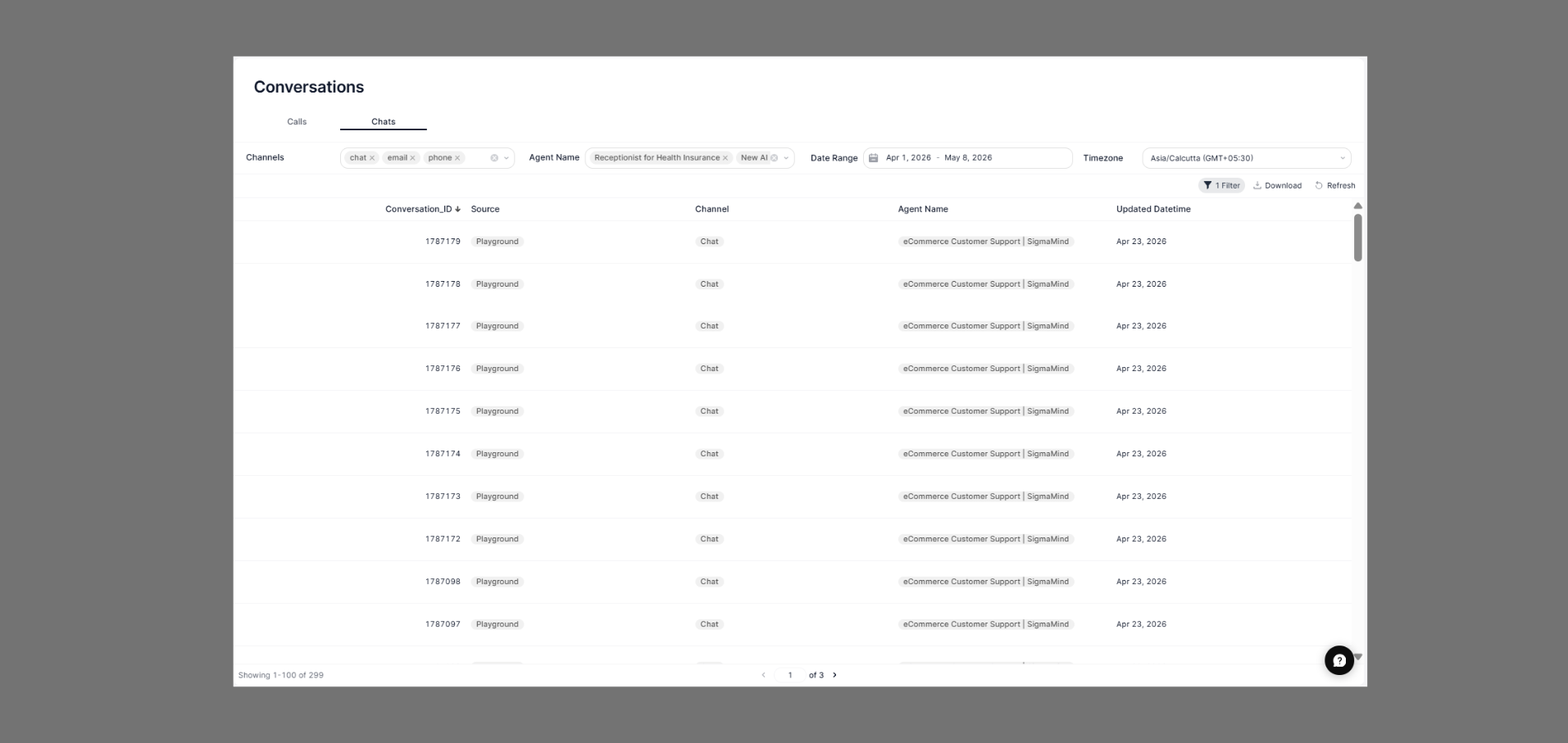
How to Navigate
- Go to the Home Dashboard.
- From the left side panel, click on Conversations.
- Open the Chats tab at the top of the page.
Common Use Cases
- Monitor agent chat performance.
- Review customer conversation history.
- Track active and completed conversations.
- Analyze communication activity across channels.
- Audit customer support interactions for quality assurance.
Status Indicators
- Updated Datetime → Displays the latest activity timestamp for the conversation.
- Channel → Indicate the communication channel used for the conversation.
- Agent Name → Shows which AI agent or support workflow handled the interaction.
Filters
Use the filter bar at the top to narrow down your chat list:Chats Table
Each row represents a single chat conversation. The table includes the following columns:Channels
Chat
Text conversations initiated through a chat widget, web embed, or the SigmaMind Playground.
Conversations that originated from or were handled via email threads.
Use the Agent Name and Date Range filters together to quickly find what you’re looking for.
FAQs
What does 'Playground' source mean?
What does 'Playground' source mean?
Playground indicates the conversation was initiated from the SigmaMind Playground testing environment, not a live production deployment.
How do I view the full content of a chat?
How do I view the full content of a chat?
Click on any row in the Chats table to open the full conversation transcript and details.
Can I filter chats by a specific channel only?
Can I filter chats by a specific channel only?
Yes — use the Channels filter at the top to select one or more channels (
chat, email, phone). Deselect channels to exclude them from the results.Why do all conversations show the same date?
Why do all conversations show the same date?
If you see many conversations with the same Updated Datetime, it typically means a batch of test conversations were created together in the Playground during that session.