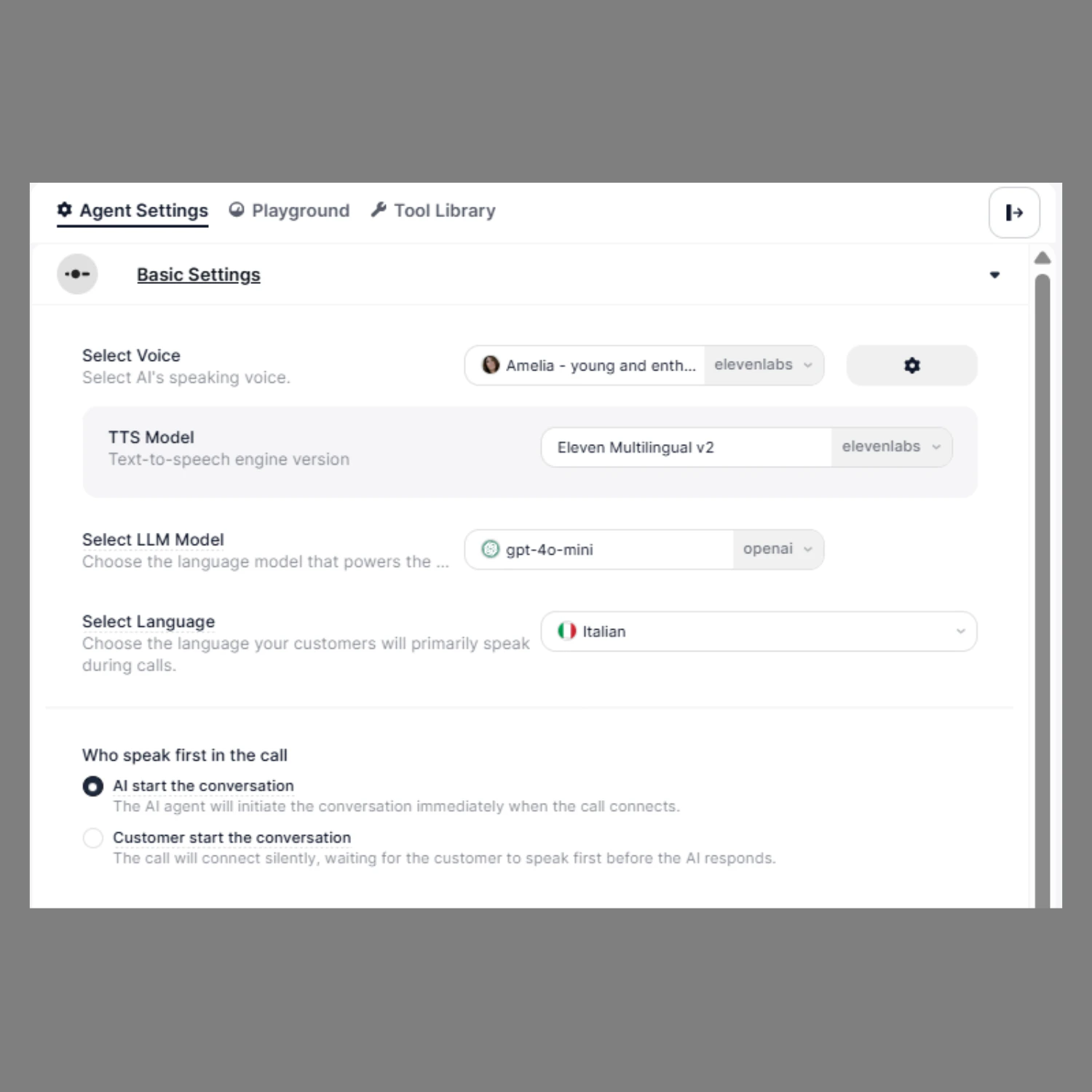
Basic Settings configure the core communication behavior of your AI agent. These settings define how the agent sounds, which language model powers its intelligence, and which language it uses to communicate with callers. Proper configuration ensures natural voice interactions, accurate responses, and reliable execution of conversation logic and function calls.

Select Voice

The Select Voice setting allows you to choose the speaking voice of your AI agent. This determines how the agent sounds during calls, including tone, clarity, and personality.
Voice
Navigate to: Agent Settings → Select Voice Use a natural human‑like voice. Recommended characteristics:
  • Natural
  • Clear
  • Professional
  • Warm
This provides the best production experience.

Select LLM Model

SigmaMind provides multiple model options optimized for different use cases, allowing you to balance intelligence, speed, and cost based on your workflow requirements.
LLMMODEL
Navigate to: Agent Settings → Select LLM Model

You can select models from the following providers:
  • OpenAI
  • Google (Gemini)
  • Anthropic (Claude)

    Each provider offers models optimized for different levels of intelligence and performance.

Select Language

The Select Language setting defines the primary language your AI agent will use to communicate with callers. This ensures the agent can understand user input correctly and respond in the appropriate language.
Language
Navigate to: Agent Settings → Select Language Ensure the prompt and welcome message matches the selected language.

Configure Who Speaks First

This setting controls whether the AI agent or the customer starts the conversation when the call connects.
Who Speak First2
AI Starts First:
  • Outbound calls
  • Automated workflows
User Starts First:
  • Inbound support