

Dashboard
Step 1: Navigate & Initiate
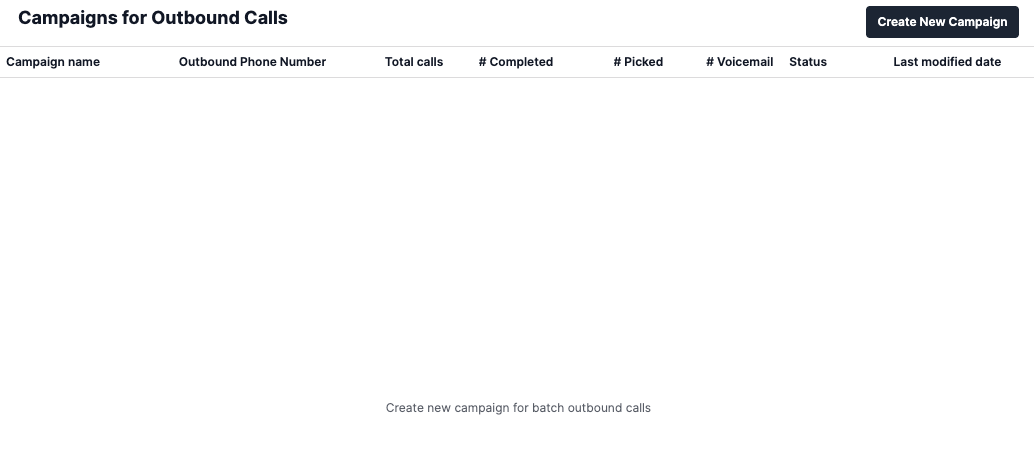
- Go to the Campaign Calls section in your SigmaMind dashboard.

- Click Create New Campaign.\
Step 2: Configure Campaign Name and Phone Number
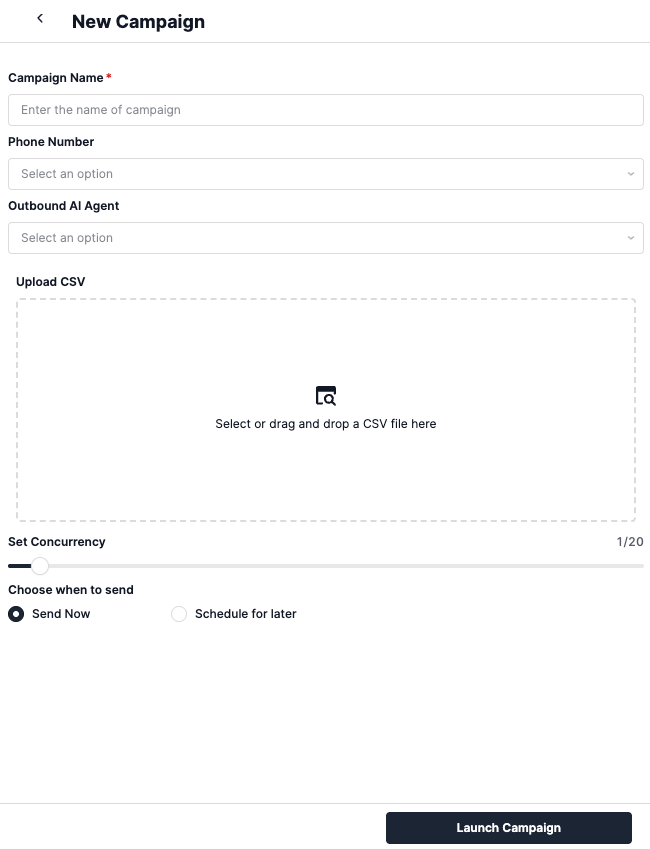
- Enter a Campaign Name to help identify the campaign later.
- Select or enter the Phone Number you want as the caller ID.
- The number must already be purchased and bound in your system.
Step 3: Assign an Outbound Agent
- Add the
agentIdof the outbound agent that should run this campaign. - This ensures calls run within the context of the selected agent.
Step 4: Upload a File
- Prepare a CSV file with a header row:
- Minimum required column: Phone Number.
- Additional columns (e.g.,
First Name,City) can be used as template variables like{{first_name}}.
Use the provided CSV template for consistency, or upload your own with custom headers.
Step 5: Choose When to Send
- Send Now: Start the campaign immediately.
- Schedule for Later:
- Define scheduledDate and scheduledTime.
- Provide a scheduledTimezone to ensure accurate scheduling.
Step 6: Limit Concurrent Calls
- Set the concurrentCalls parameter (1–20).
- Controls how many calls run simultaneously.
Use lower concurrency for testing or sensitive campaigns. Use higher concurrency for large-scale campaigns.
API
If you prefer programmatic control, you can use our APIs.Refer to the Create Campaign API Reference for details on all available parameters.
- The CSV file must be uploaded as
multipart/form-data. - The
fileparameter should contain the path to your CSV file. - The
concurrentCallsparameter controls how many calls run simultaneously (1-20). - The
isScheduledparameter determines if the campaign starts immediately or at a scheduled time. - If scheduling, provide
scheduledDate,scheduledTime, andscheduledTimezone. - Ensure the
sipPhoneNumberis a valid number in your SigmaMind account. - The
agentIdmust correspond to an existing outbound agent in your system.