

Whenever an event is triggered (e.g., a conversation starts or ends), SigmaMind will send an HTTP
POSTrequest with a JSON payload to your configured webhook URL.
This allows you to fetch conversation info from your agents in your own applications, CRMs, or monitoring systems.
How Webhooks Work
- Each AI Agent can have its own webhook.
- A single webhook URL can be reused across multiple agents.
- When the selected event occurs, SigmaMind sends a signed JSON payload to your webhook endpoint.
- Your system can then process this payload to perform actions like updating CRM records, triggering workflows, or logging analytics.
Think of webhooks as push notifications for your backend — you get updates instantly when something important happens in SigmaMind.
Supported Webhook Events
The following events are currently supported:- conversation_started – Triggered when a new customer conversation begins.
- conversation_ended – Triggered when a conversation is closed or completed.
- conversation_analysed – Triggered when call analysis is completed.
Creating Webhooks
You can create webhooks in two ways:1. Using the Dashboard
You can configure webhooks from Agent Settings:- Open the AI Agent you want to connect.
- Go to Agent Settings → Webhooks.
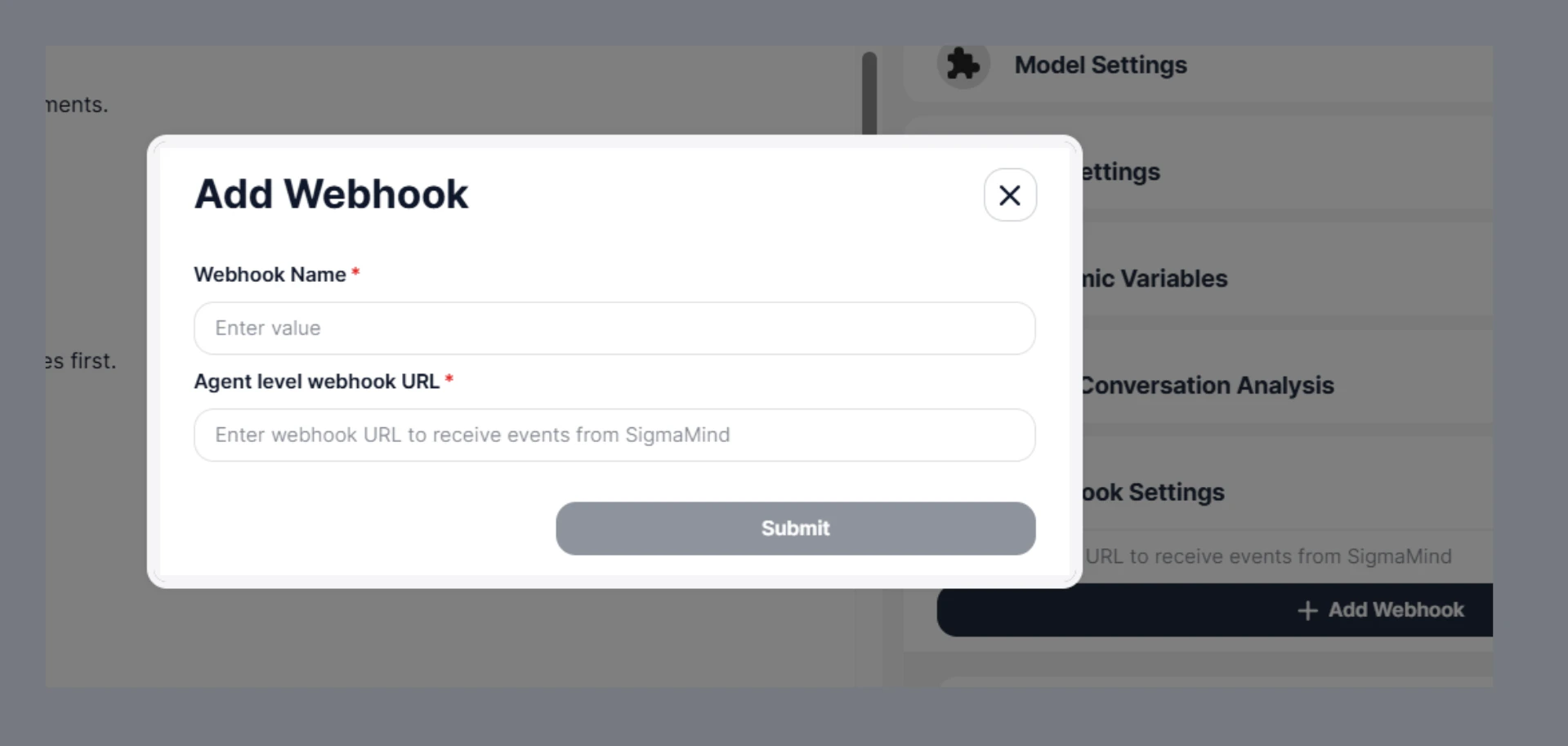
- Click on Add Webhook
- Provide the following details -
- Webhook Name - Set the name you want to give this webhook.
- URL - Enter a webhook URL. You’ll find this from your system where you want to receive the events from SigmaMind.
- Hit Submit to add the Webhook.
2. Using the API
If you prefer programmatic control, you can use the Webhook API to register webhooks.- The
namefield is a human-readable identifier for your webhook. - The
urlis the endpoint in your system that will receive webhook events. - The
agentIdmust correspond to an existing Agent in your SigmaMind account. - The
eventsparameter lists which Agent events will trigger the webhook.
Security and Verification
🔑 Secret Generation
- Each webhook is associated with a unique secret.
- This secret is generated securely using a cryptographically strong random generator.
- We store this secret encrypted at rest.
- You should securely store this secret on your side — it is required to verify incoming webhooks.
📦 What We Send
Every webhook request includes:Headers
Body
- JSON payload (exact content used for signature generation)
📄 Example Payload
Here’s an example of the webhook payload your endpoint will receive:🔏 How Signature is Generated
We compute the signature using:✅ How to Verify Webhook (Client Side)
To validate that the webhook is genuine:Step 1: Extract values
- signature from header
- timestamp from header
- payload (raw request body)
Step 2: Recompute signature
Step 3: Compare signatures
- Remove prefix sha256= from header signature
- Compare with your computed signature
- Use constant-time comparison to avoid timing attacks
Step 4: Validate timestamp (Replay Protection)
- Convert timestamp to current time
- Reject if difference > 5 minutes
Step 5: Handle idempotency
- Use
x-webhook-delivery-idto ensure the same event is not processed multiple times
💡 Examples
Always verify signatures before processing webhook data to prevent spoofing attacks.
Summary
- Webhooks notify your system in real time about Agent events.
- You can create webhooks from the Dashboard or via the API.
- A single webhook URL can be used across multiple AI Agents.
- Supported events include conversation_started, conversation_analysed and conversation_ended.
- Payloads are signed with a secret key for secure delivery.
Where to View Analysis in Dashboard
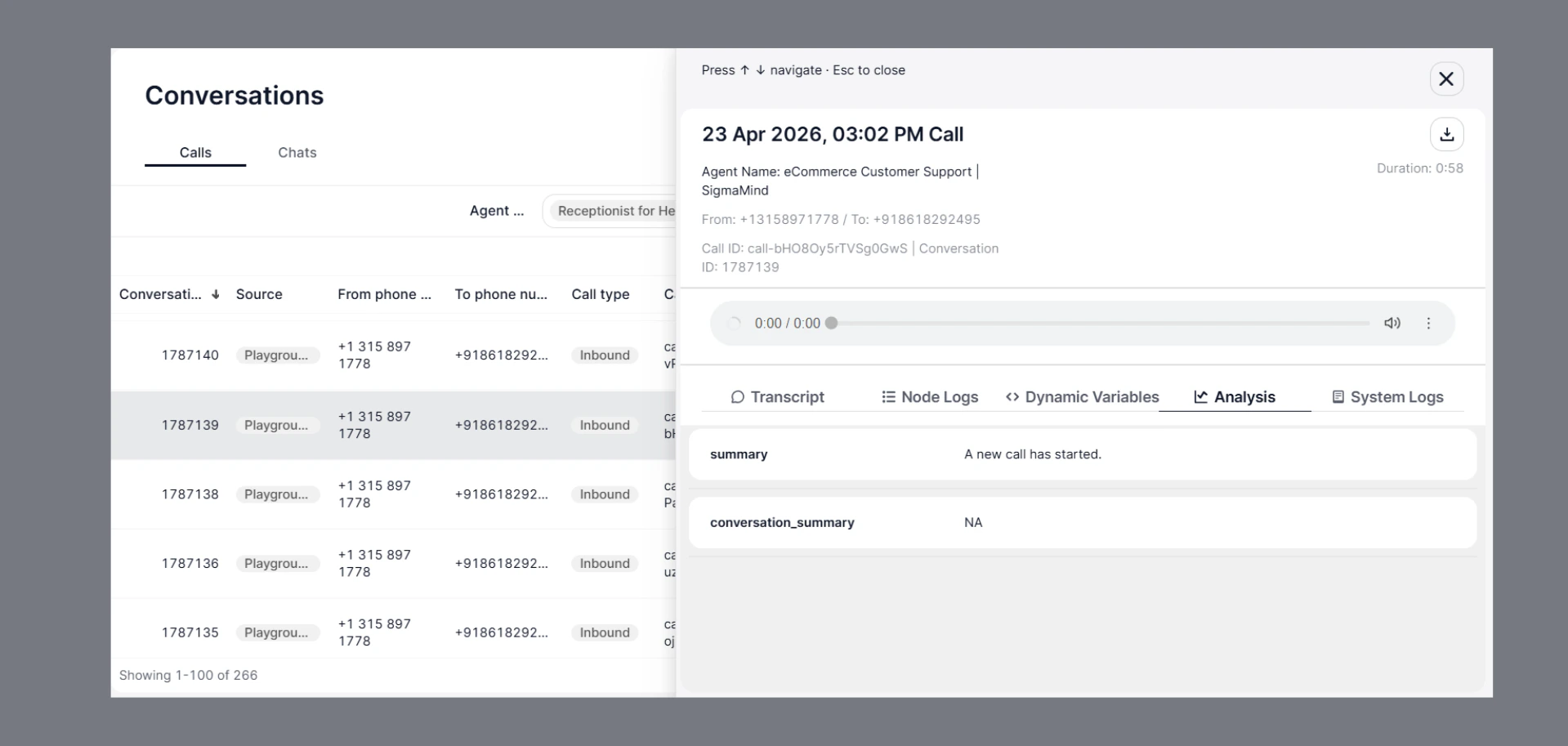
After a conversation is completed and analysis is triggered (conversation_analysed event), you can also view the same data directly in the SigmaMind dashboard.
Steps
- Go to Conversations
- Open any Call or Chat
- Navigate to the Analysis tab
What You’ll See
- All Post-Conversation Analysis fields
- Extracted insights (summary, outcome, scores, etc.)
- Structured data generated by the AI
Why This Matters
- Helps you verify webhook data
- Useful for debugging and testing
- Ensures your analysis instructions are working correctly
Webhooks are the easiest way to integrate SigmaMind into your existing systems and automate workflows.