

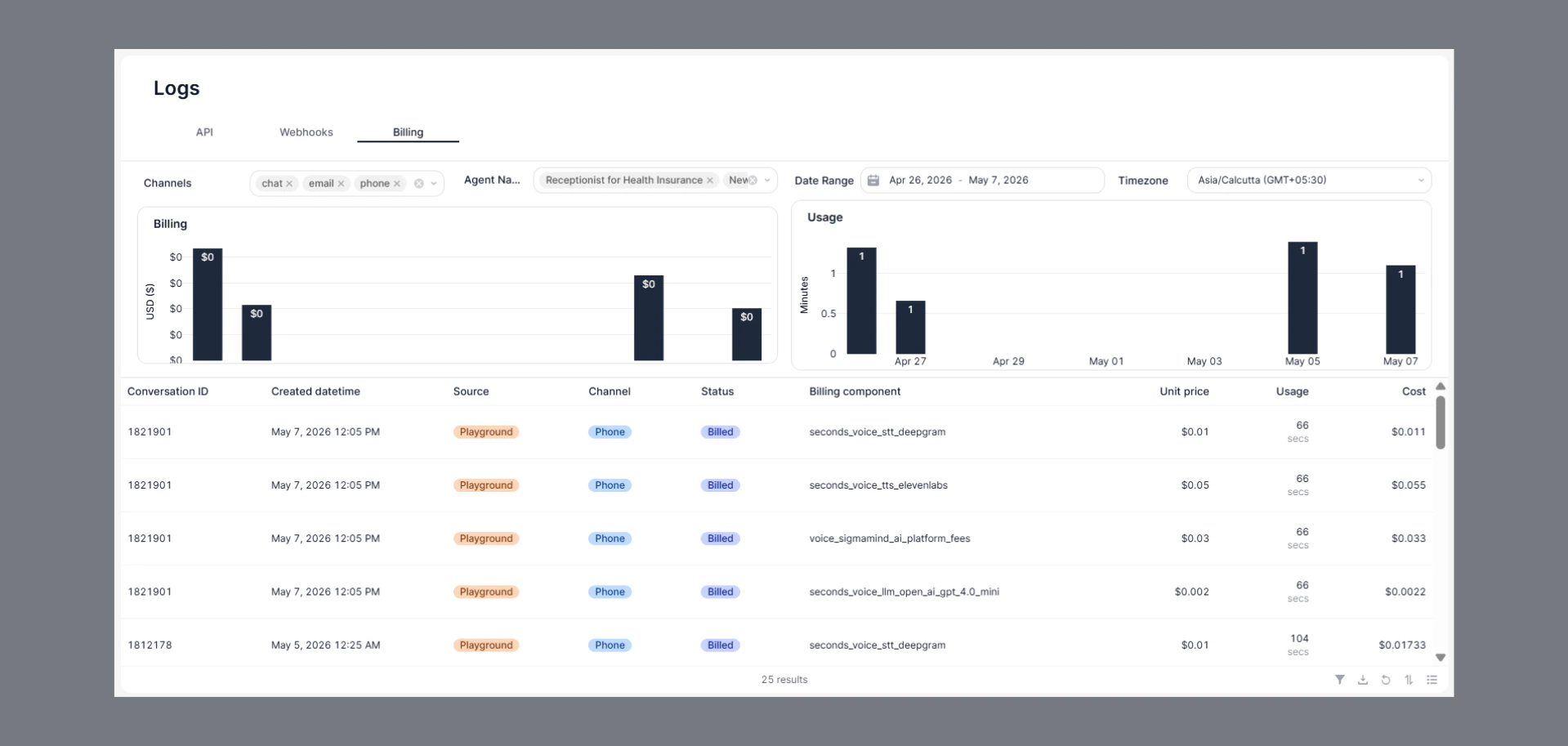
How to Navigate
- Go to the Home Dashboard.
- From the left side panel, click on Logs.
- Open the Billing tab at the top of the page.
Key Insights
- Track billing and usage data in real time.
- View:
- Conversation ID
- Source and channel
- Billing component
- Unit price
- Usage duration
- Total cost
- Analyze usage trends through billing and usage charts.
- Filter data by channel, agent, date range, and timezone.
Filter & Export Options
- Use the filter option to search and analyze specific billing records.
- Apply filters based on:
- Conversation ID
- Source
- Channel
- Status
- Billing component
- Usage
- Cost
- Download billing data for reporting and record keeping.
- Refresh logs anytime to fetch the latest billing activity.
Common Use Cases
- Monitor platform spending and usage.
- Analyze agent-level billing details.
- Track usage across chat, email, and phone channels.
- Review cost breakdown for different billing components.
Status Indicators
- Billed → Usage has been successfully charged and recorded.