> ## Documentation Index
> Fetch the complete documentation index at: https://docs.sigmamind.ai/llms.txt
> Use this file to discover all available pages before exploring further.
# Purchase Phone Number
> Step by step guide to buy a number from SigmaMind
The numbers are fully managed by SigmaMind, so you don’t need to worry about telephony infrastructure setup.
Currently, we only support the purchase of **US numbers** and making **domestic calls** from the platform.\
If you are looking to:
* Use numbers from other countries
* Make international calls
* Use your own telephony provider
Check out the [Bring Your Own Number guide](./bring-your-own-number).
***
## Dashboard
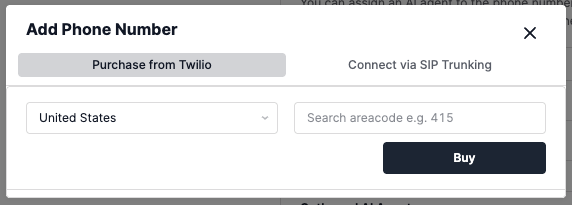
You can purchase and assign agents to numbers directly from the **SigmaMind Dashboard**.
* During purchase, you may optionally specify preferred **area codes**.
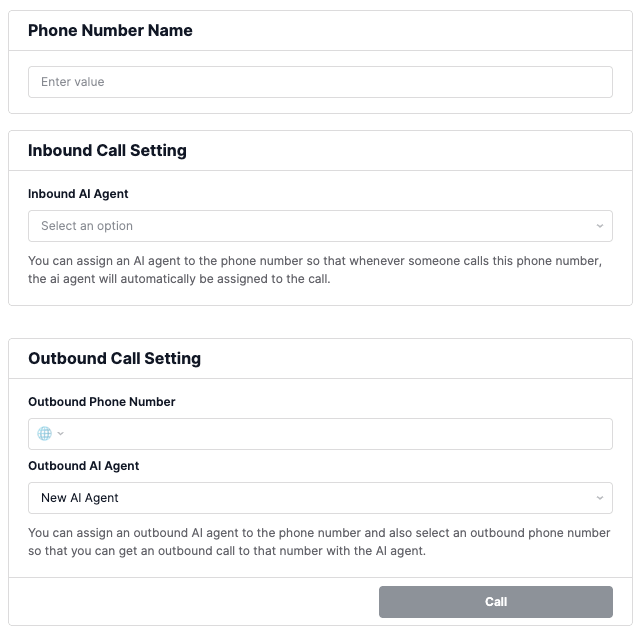
* After purchase, you can update the number’s **nickname** for easier identification.
* Once assigned, you can configure both **inbound** and **outbound agents**.
After setup, your number will be ready to accept **inbound calls** if an inbound agent has been assigned.
Give it a try by calling the number to confirm it’s working!
## API
If you prefer programmatic control, you can use our APIs.
Refer to the [Create Phone Number API Reference](/api-reference/phone-numbers/create-phone-number) for details on all available parameters.
* Numbers are **yours indefinitely** once purchased.
* Manage your purchased numbers in the [Numbers Dashboard](https://dashboard.sigmamind.ai/app/ai/phone-numbers).
* You can assign **different inbound and outbound agents**.
```sh Purchase New Number theme={null}
curl --location 'https://api.sigmamind.ai/v1/phone-numbers' \
--header 'Content-Type: application/json' \
--header 'X-API-KEY: key_C6HL3Goru7Q.TlI5kZOKPmDM03Gt39nRBEnxrL*****************' \
--data '{
"friendlyName": "Inbound Agent 1",
"provider": "telnyx"
}'
```
```sh Bring Your Own Number (BYO) theme={null}
curl --location 'https://api.sigmamind.ai/v1/phone-numbers' \
--header 'Content-Type: application/json' \
--header 'X-API-KEY: key_C6HL3Goru7Q.TlI5kZOKPmDM03Gt39nRBEnxrL*****************' \
--data '{
"friendlyName": "Inbound Agent 2",
"phoneNumber": "+14159876543",
"provider": "byo",
"trunkName": "SigmaMing SIP Trunk",
"trunkUsername": "admin",
"trunkPassword": "password",
"terminationSipURI": "sip.telnyx.com"
}'
```