> ## Documentation Index
> Fetch the complete documentation index at: https://docs.sigmamind.ai/llms.txt
> Use this file to discover all available pages before exploring further.
# How to select voice of your agent
Voice is one of the **most important configuration decisions** for your AI agent.
It directly impacts:
* User experience
* Trust and engagement
* Perceived intelligence of the agent
👉 A poor voice choice can make even a well-designed agent feel robotic.
 ***
# Available Voice Providers
You can choose voices from multiple providers:
* **ElevenLabs**
* **OpenAI**
* **Cartesia**
* **Rime AI**
* **Hume AI**
***
### How These Providers Differ (Important)
| Provider | Best For | Notes |
| :--------------------- | :--------------------------- | :------------------------------ |
| ElevenLabs | Production, realism | Most natural sounding |
| OpenAI | Balanced use cases | Good quality + performance |
| Cartesia / Rime / Hume | Experimental / varied styles | Different tones & personalities |
### How to Choose the Right Voice
### Based on Use Case
| Use Case | Recommended Voice |
| :--------------- | :------------------ |
| Customer support | Neutral, clear |
| Sales calls | Confident, engaging |
| India users | Indian accent |
| Global users | Neutral / American |
***
### Based on Audience
* Older users → slower, clearer voice
* Younger users → slightly energetic
* Noisy environments → very clear pronunciation
***
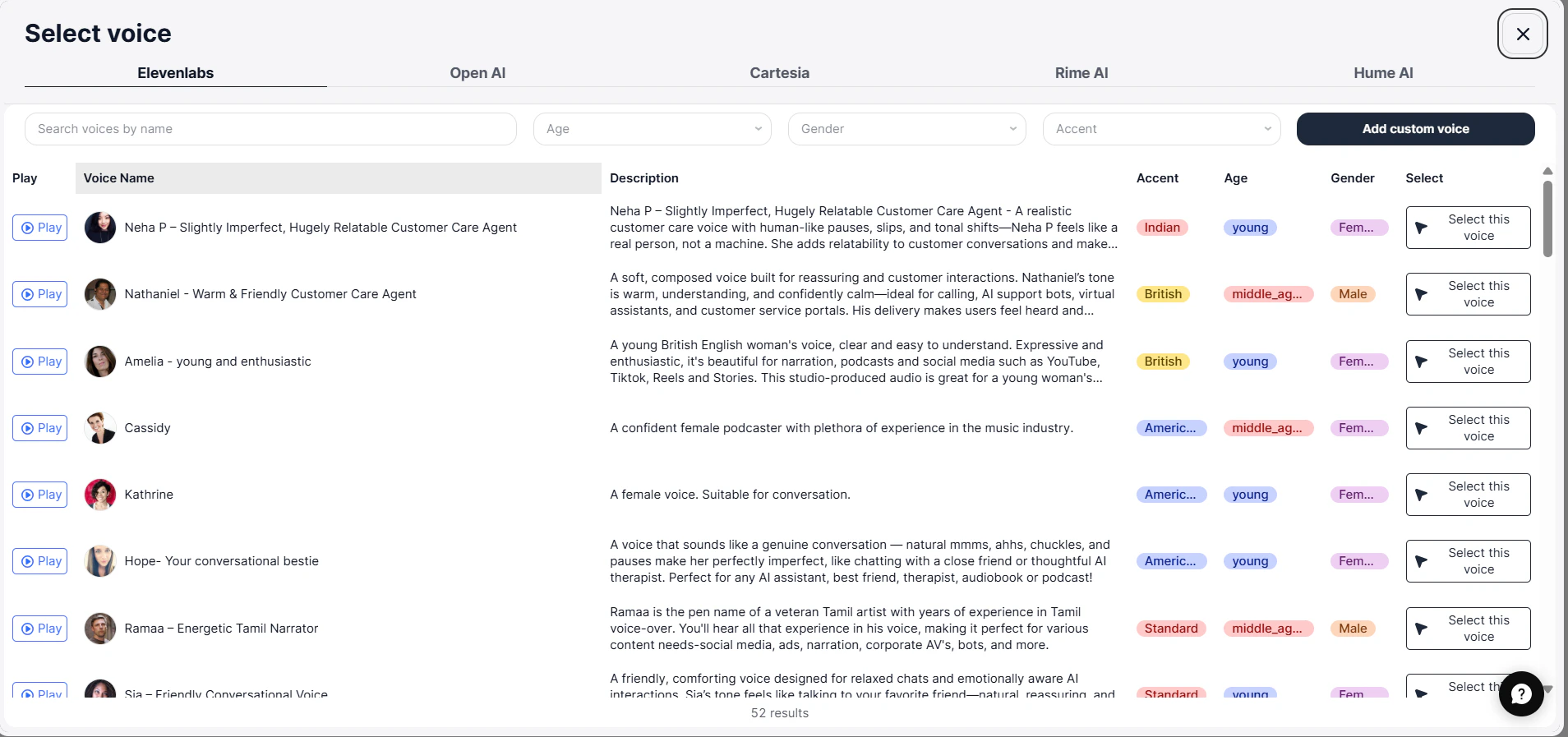
### Explore Voices
Use **keywords** and **filters to shortlist voices**, then prioritize those that align with your **users**’ **geography,** **accent expectations**, and **listening environment.**
***
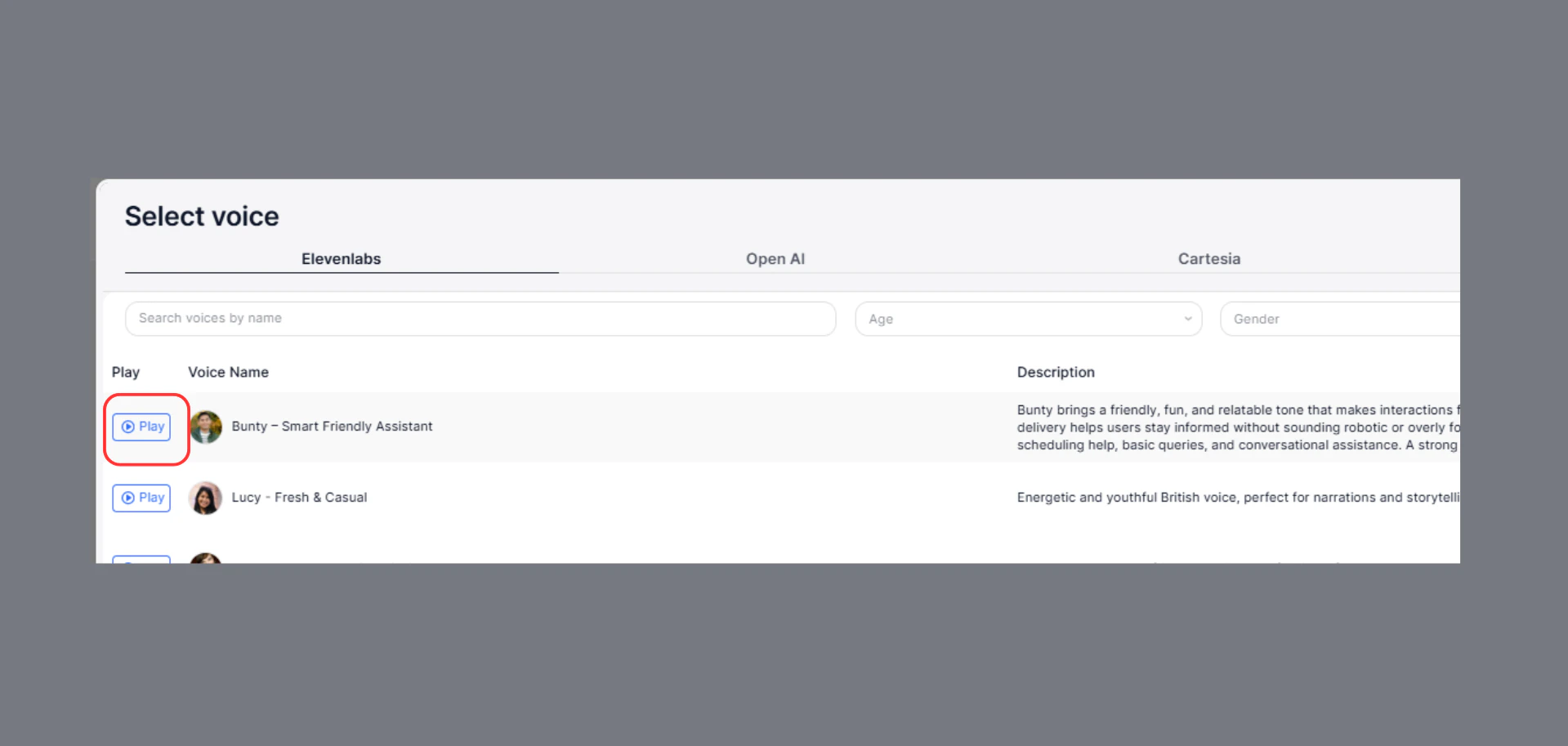
#### Preview (Critical Step)
Before selecting:
* Play the sample
* Check pronunciation
* Test real phrases
***
# Available Voice Providers
You can choose voices from multiple providers:
* **ElevenLabs**
* **OpenAI**
* **Cartesia**
* **Rime AI**
* **Hume AI**
***
### How These Providers Differ (Important)
| Provider | Best For | Notes |
| :--------------------- | :--------------------------- | :------------------------------ |
| ElevenLabs | Production, realism | Most natural sounding |
| OpenAI | Balanced use cases | Good quality + performance |
| Cartesia / Rime / Hume | Experimental / varied styles | Different tones & personalities |
### How to Choose the Right Voice
### Based on Use Case
| Use Case | Recommended Voice |
| :--------------- | :------------------ |
| Customer support | Neutral, clear |
| Sales calls | Confident, engaging |
| India users | Indian accent |
| Global users | Neutral / American |
***
### Based on Audience
* Older users → slower, clearer voice
* Younger users → slightly energetic
* Noisy environments → very clear pronunciation
***
### Explore Voices
Use **keywords** and **filters to shortlist voices**, then prioritize those that align with your **users**’ **geography,** **accent expectations**, and **listening environment.**
***
#### Preview (Critical Step)
Before selecting:
* Play the sample
* Check pronunciation
* Test real phrases
 ### How to add Custom Voices:
1. Go to ElevenLabs dashboard
2. Select or create a voice
3. Copy the **Voice ID**
4. Go to **SigmaMind → Voice Settings**
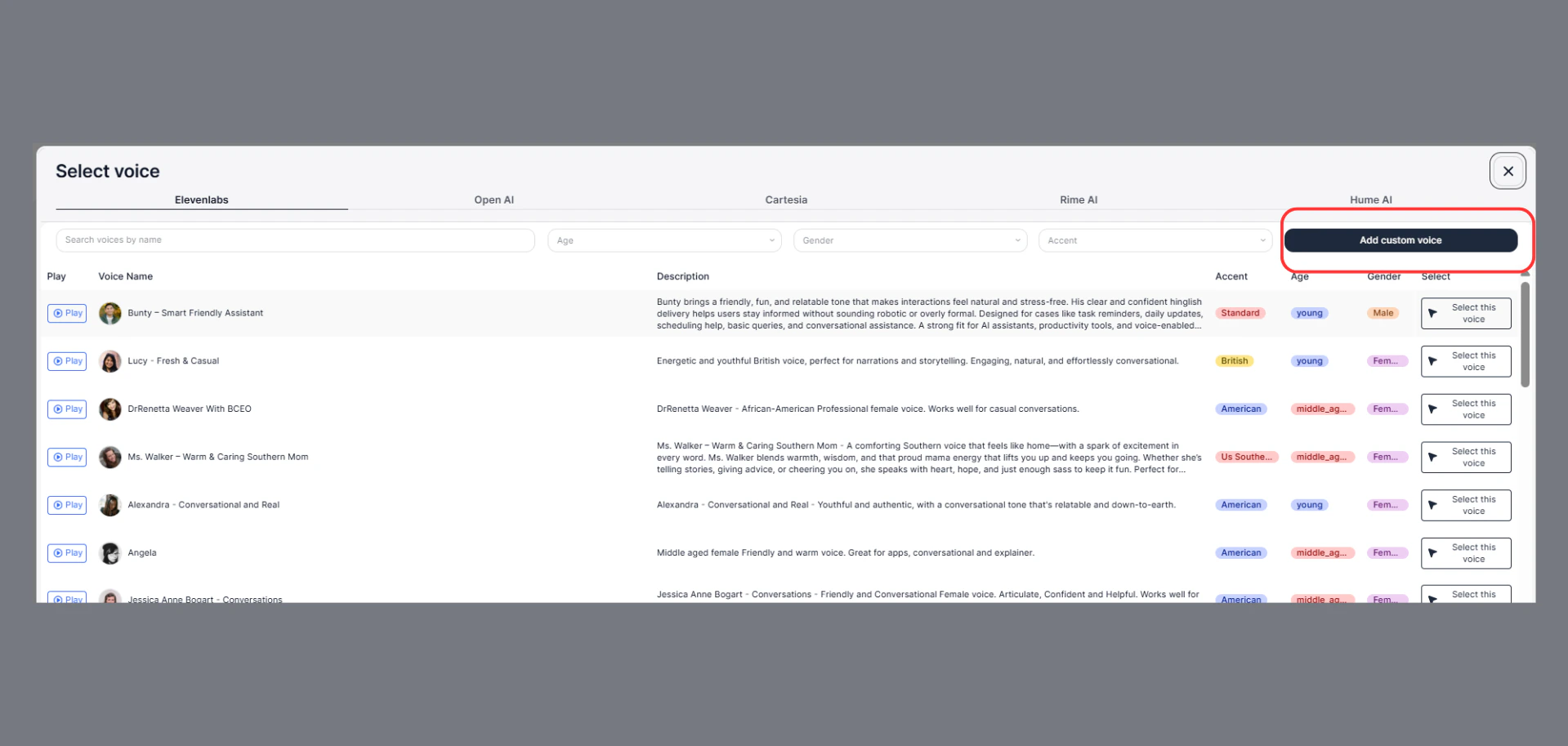
5. Click on **Add Custom Voice**
### How to add Custom Voices:
1. Go to ElevenLabs dashboard
2. Select or create a voice
3. Copy the **Voice ID**
4. Go to **SigmaMind → Voice Settings**
5. Click on **Add Custom Voice**
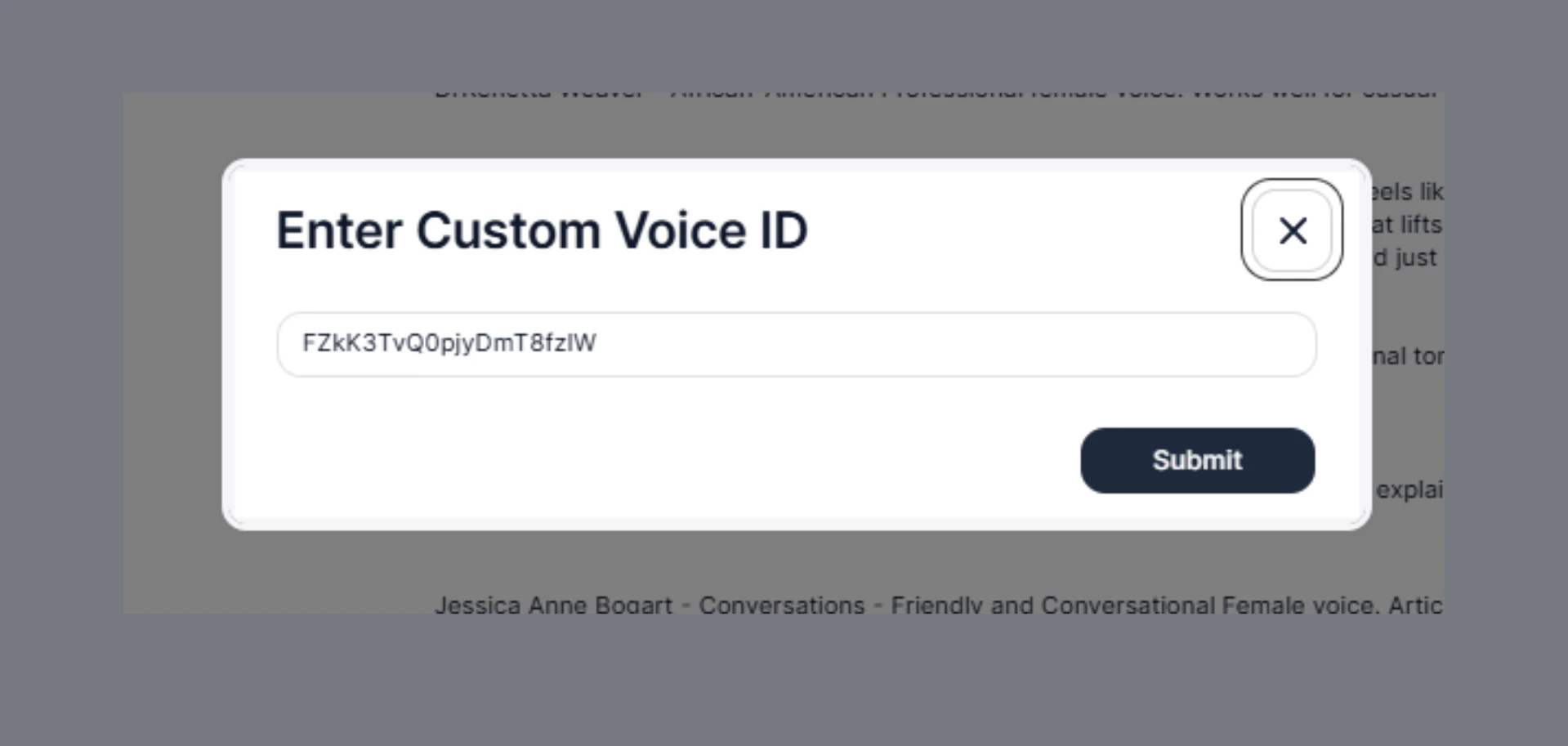
 6. Paste into **Custom Voice**
7. Click **Submit**
6. Paste into **Custom Voice**
7. Click **Submit**
 ***
***