> ## Documentation Index
> Fetch the complete documentation index at: https://docs.sigmamind.ai/llms.txt
> Use this file to discover all available pages before exploring further.
# How to select LLM Model
## Select LLM Model
SigmaMind provides multiple model options optimized for different use cases, allowing you to balance intelligence, speed, and cost based on your workflow requirements.
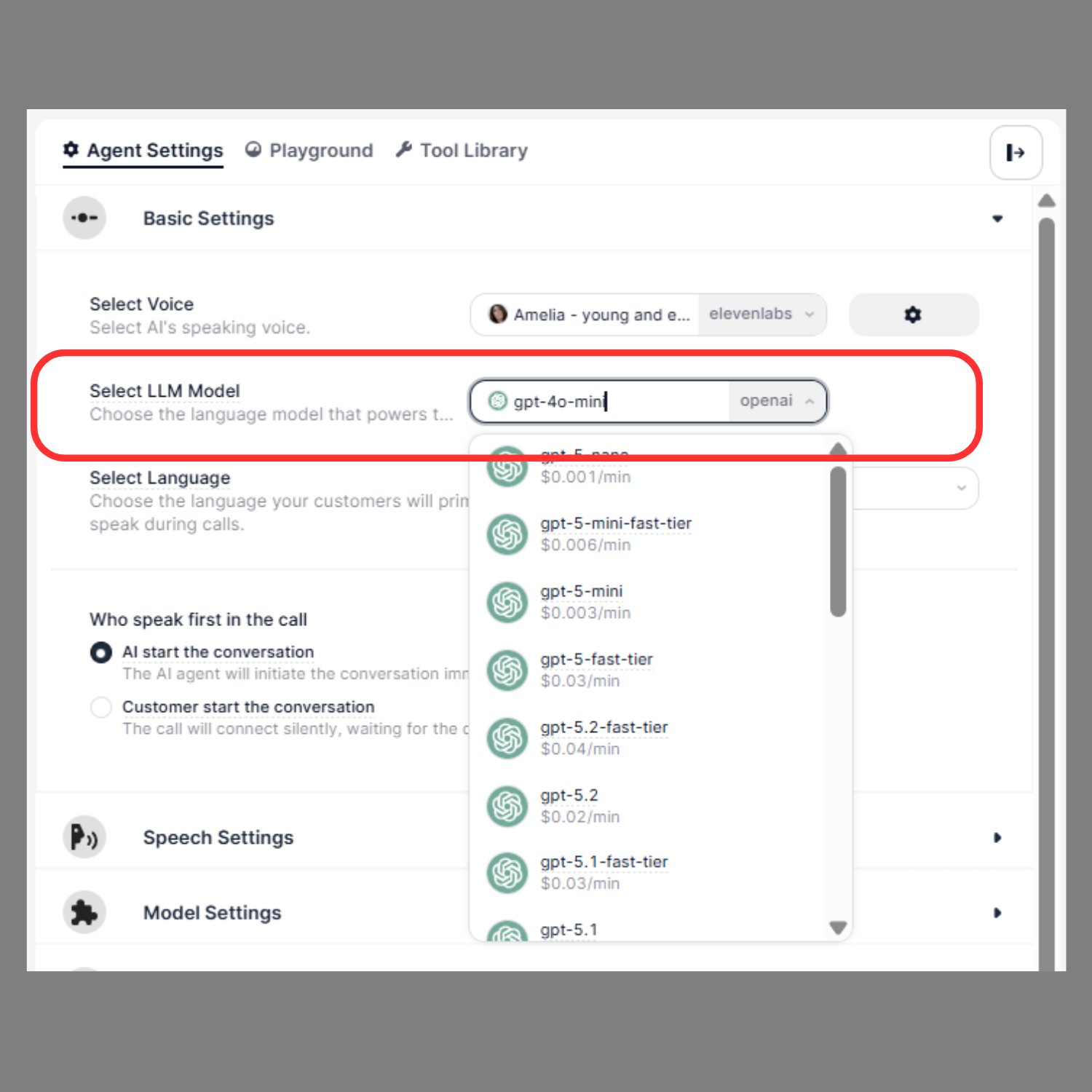 Navigate to:
**Agent Settings → Select LLM Model**\
\
**You can select models from the following providers:**
* OpenAI
* Google (Gemini)
* Anthropic (Claude)
#### Model Comparison
| Model | Latency (Speed) | Quality | Cost | Best Use Case |
| :---------------- | :-------------- | :-------- | :---------- | :-------------------------------- |
| GPT-4.1 Fast | Fast | High | Medium | General use, support agents |
| Gemini 2.5 Flash | Very Fast | High | Low | Voice agents, sales calls |
| Claude 3.5 Sonnet | Medium | Very High | Medium–High | Support, reasoning-heavy tasks |
| GPT-5 | Slow | Very High | High | Complex workflows, advanced logic |
### Quick Recommendation
* 👉 **Voice / Call agents** → Gemini 2.5 Flash
* 👉 **General / Support** → GPT-4.1 Fast
* 👉 **Complex logic** → Claude 3.5 Sonnet or GPT-5
Each provider offers models optimized for different levels of intelligence and performance.
Navigate to:
**Agent Settings → Select LLM Model**\
\
**You can select models from the following providers:**
* OpenAI
* Google (Gemini)
* Anthropic (Claude)
#### Model Comparison
| Model | Latency (Speed) | Quality | Cost | Best Use Case |
| :---------------- | :-------------- | :-------- | :---------- | :-------------------------------- |
| GPT-4.1 Fast | Fast | High | Medium | General use, support agents |
| Gemini 2.5 Flash | Very Fast | High | Low | Voice agents, sales calls |
| Claude 3.5 Sonnet | Medium | Very High | Medium–High | Support, reasoning-heavy tasks |
| GPT-5 | Slow | Very High | High | Complex workflows, advanced logic |
### Quick Recommendation
* 👉 **Voice / Call agents** → Gemini 2.5 Flash
* 👉 **General / Support** → GPT-4.1 Fast
* 👉 **Complex logic** → Claude 3.5 Sonnet or GPT-5
Each provider offers models optimized for different levels of intelligence and performance.