> ## Documentation Index
> Fetch the complete documentation index at: https://docs.sigmamind.ai/llms.txt
> Use this file to discover all available pages before exploring further.
# Transcription Settings
Transcription Settings control how audio is processed before it is converted into text.
These settings help improve:
* Speech clarity
* Transcription accuracy
* Call quality
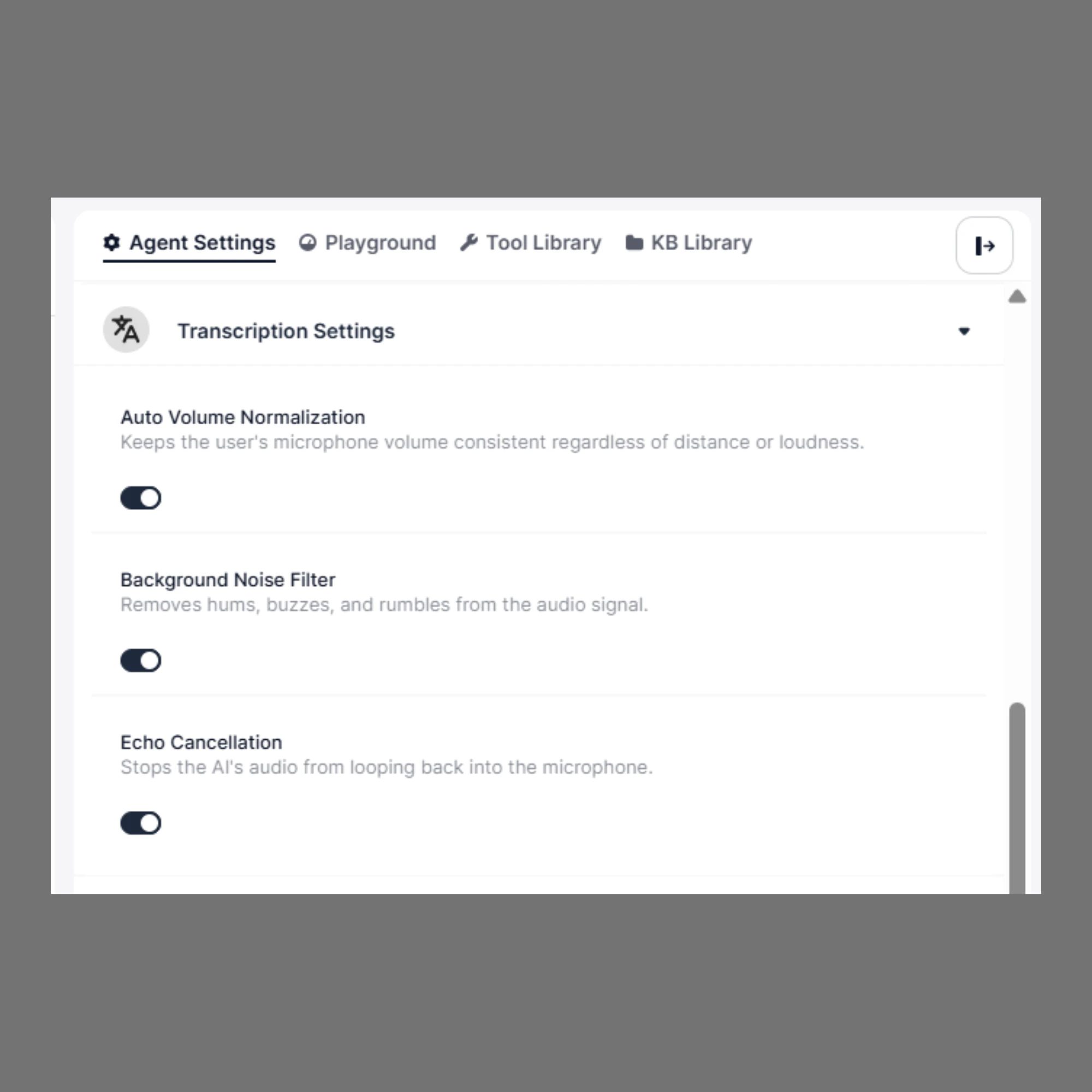 ## To configure Transcription Settings:
Open your **Agent Builder**.
From the side panel, click **Agent Settings**.
Expand the **Transcription Settings** section.
# Available Settings
## 1. Auto Volume Normalization
Automatically adjusts the speaker’s volume to keep it consistent.
### When to Use
* Callers speak too softly or too loudly
* Users move away from the microphone
* Mobile or real-world environments
### Recommendation
👉 Keep this **ON by default** for most use cases
***
## 2. Background Noise Filter
Reduces environmental noise such as:
* Fan or AC sounds
* Traffic noise
* Office background chatter
### When to Use
* Noisy environments
* Outdoor calls
* Call centers with background activity
### Recommendation
👉 Enable this if your users are not in a quiet environment
***
## 3. Echo Cancellation
Prevents the system’s audio from being picked up again by the microphone.
### When to Use
* Speakerphone or loudspeaker usage
* Open environments
* Cases where echo is noticeable
### Recommendation
👉 Keep this **ON**, especially for voice calls
***
# How to Choose the Right Settings
* **Quiet environment (office/home):**
* Noise Filter → Optional
* Echo Cancellation → ON
* Volume Normalization → ON
* **Noisy environment (call center/outdoor):**
* Noise Filter → ON
* Echo Cancellation → ON
* Volume Normalization → ON
***
# Why These Settings Matter
Poor audio quality can lead to:
* Incorrect transcription
* Misunderstood user intent
* Broken conversation flow
👉 These settings directly impact how well your agent understands users.
***
# Summary
* **Auto Volume Normalization** → Keeps audio levels consistent
* **Background Noise Filter** → Removes environmental noise
* **Echo Cancellation** → Prevents audio feedback
👉 Recommended setup: Keep all enabled unless you have a specific reason to disable them.
## To configure Transcription Settings:
Open your **Agent Builder**.
From the side panel, click **Agent Settings**.
Expand the **Transcription Settings** section.
# Available Settings
## 1. Auto Volume Normalization
Automatically adjusts the speaker’s volume to keep it consistent.
### When to Use
* Callers speak too softly or too loudly
* Users move away from the microphone
* Mobile or real-world environments
### Recommendation
👉 Keep this **ON by default** for most use cases
***
## 2. Background Noise Filter
Reduces environmental noise such as:
* Fan or AC sounds
* Traffic noise
* Office background chatter
### When to Use
* Noisy environments
* Outdoor calls
* Call centers with background activity
### Recommendation
👉 Enable this if your users are not in a quiet environment
***
## 3. Echo Cancellation
Prevents the system’s audio from being picked up again by the microphone.
### When to Use
* Speakerphone or loudspeaker usage
* Open environments
* Cases where echo is noticeable
### Recommendation
👉 Keep this **ON**, especially for voice calls
***
# How to Choose the Right Settings
* **Quiet environment (office/home):**
* Noise Filter → Optional
* Echo Cancellation → ON
* Volume Normalization → ON
* **Noisy environment (call center/outdoor):**
* Noise Filter → ON
* Echo Cancellation → ON
* Volume Normalization → ON
***
# Why These Settings Matter
Poor audio quality can lead to:
* Incorrect transcription
* Misunderstood user intent
* Broken conversation flow
👉 These settings directly impact how well your agent understands users.
***
# Summary
* **Auto Volume Normalization** → Keeps audio levels consistent
* **Background Noise Filter** → Removes environmental noise
* **Echo Cancellation** → Prevents audio feedback
👉 Recommended setup: Keep all enabled unless you have a specific reason to disable them.