> ## Documentation Index
> Fetch the complete documentation index at: https://docs.sigmamind.ai/llms.txt
> Use this file to discover all available pages before exploring further.
# Start Trigger
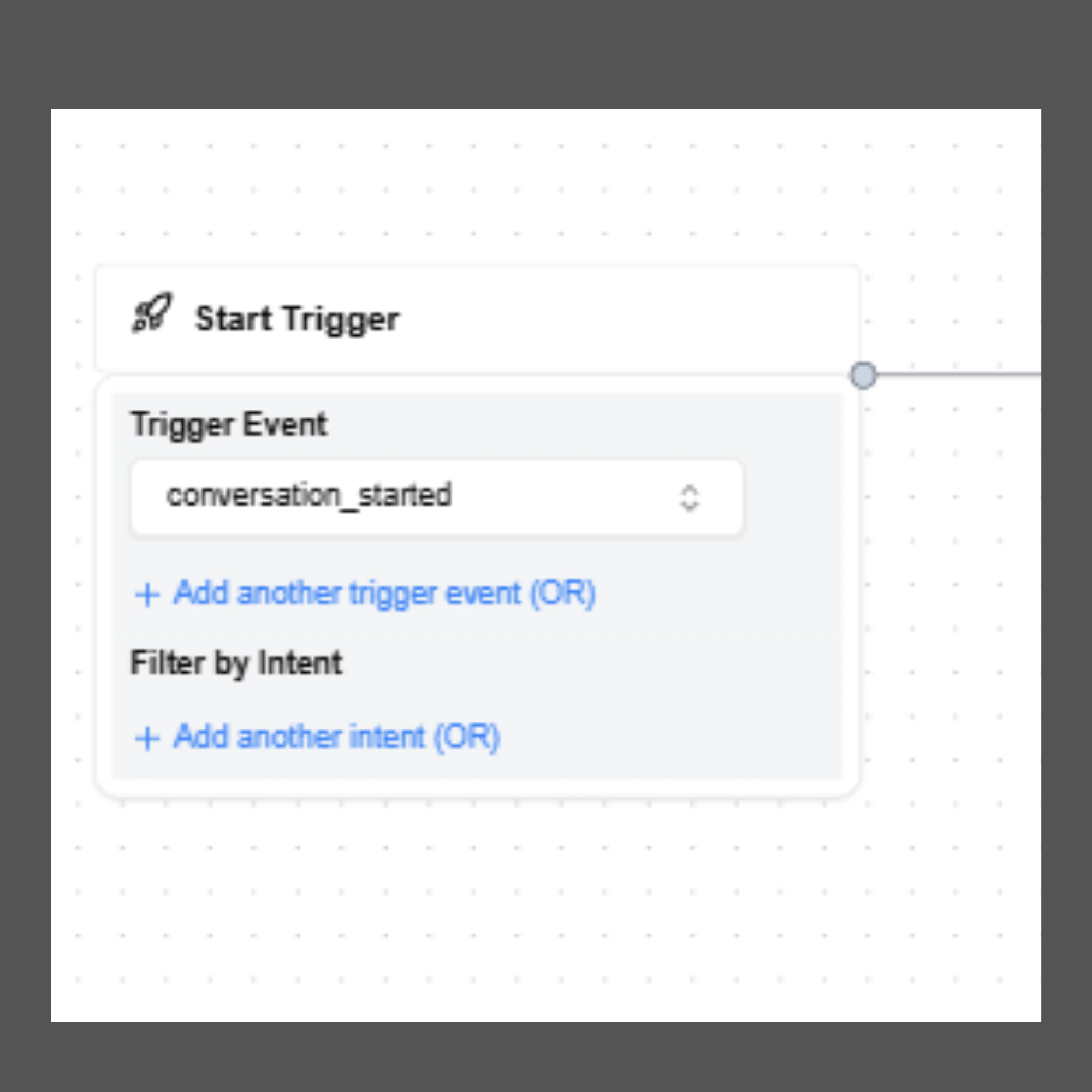
The **Start Trigger** defines when an AI agent workflow begins. It acts as the **entry point of every conversational flow**, determining the event that activates the agent.
When a new agent is created using **Conversational Flow**, the **Start Trigger node is automatically generated on the canvas**. This node cannot be removed and always serves as the starting point of the workflow.
All other nodes in the agent flow are connected after the Start Trigger.
 ***
## Trigger Event
The **Trigger Event** specifies the event that activates the AI agent.
Currently, **SigmaMind supports only one trigger event:**
**Conversation Started**
This event activates the agent whenever a new conversation begins across supported communication channels.
Since this is the only supported trigger at the moment, it is **automatically configured and cannot be changed or deleted**.
***
## Common Use Cases
Using **Conversation Started** allows the AI agent to respond immediately when a user interaction begins.
Examples include:
* A customer starting a conversation through **Helpdesk Chat**
* A support request received through **Helpdesk Email**
* A conversation initiated through **Slack or WhatsApp**
* An **inbound phone call** from a customer
* An **outbound call** initiated by the system (for example, a scheduled callback)
This unified trigger allows developers to build AI agents that work consistently across different communication channels.
***
## Trigger Configuration Options
Although the trigger event itself cannot be changed, developers can configure additional settings within the **Start Trigger node** to control how the workflow begins.
### Add Multiple Trigger Conditions
You can define **additional trigger conditions** using **OR logic**.
This means the agent workflow will start if **any one of the configured conditions is satisfied**.
This flexibility allows a single agent to handle multiple entry scenarios without requiring separate workflows.
***
## Filter by Intent (Inbound AI Agents)
The **Filter by Intent** option allows developers to restrict agent execution to specific types of customer requests.
### How It Works
When enabled, the AI agent will activate only if the customer’s initial message matches one of the **preconfigured intents** available in **AI Studio**.
SigmaMind AI includes **over 200 predefined intents**, trained on millions of real customer queries to accurately detect user intent.
The agent is triggered only when SigmaMind AI has **more than 95% confidence** in the detected intent.
If the confidence score is lower than this threshold, the agent will **not be triggered**, helping prevent incorrect intent classification and improving reliability.
***
## Benefits of Intent Filtering
Intent filtering enables developers to create more targeted and specialized AI workflows.
### Intent-Based Routing
Different agents can handle different customer needs depending on the detected intent.
Examples include:
* Billing inquiries routed to a billing support workflow
* Shipping questions routed to an order tracking workflow
### Workflow Automation
Intent filtering also enables advanced automation such as:
* Offering **discounts before cancellation**
* Confirming **shipping status before processing returns**
* Separating **FAQ responses from transactional support**
***
> ## `Important Note`
>
> `Intent filtering is most useful for inbound text-based conversations, such as chat or email, where the customer’s first message can be analyzed before the agent responds.`
>
> `For voice calls, the AI agent usually speaks first before the customer provides input. In these cases, intent filtering in the Start Trigger may not be necessary.`
>
> `Instead, developers can use the Analyze Customer Message node later in the flow to detect the customer's intent and route the conversation accordingly.`
***
***
## Trigger Event
The **Trigger Event** specifies the event that activates the AI agent.
Currently, **SigmaMind supports only one trigger event:**
**Conversation Started**
This event activates the agent whenever a new conversation begins across supported communication channels.
Since this is the only supported trigger at the moment, it is **automatically configured and cannot be changed or deleted**.
***
## Common Use Cases
Using **Conversation Started** allows the AI agent to respond immediately when a user interaction begins.
Examples include:
* A customer starting a conversation through **Helpdesk Chat**
* A support request received through **Helpdesk Email**
* A conversation initiated through **Slack or WhatsApp**
* An **inbound phone call** from a customer
* An **outbound call** initiated by the system (for example, a scheduled callback)
This unified trigger allows developers to build AI agents that work consistently across different communication channels.
***
## Trigger Configuration Options
Although the trigger event itself cannot be changed, developers can configure additional settings within the **Start Trigger node** to control how the workflow begins.
### Add Multiple Trigger Conditions
You can define **additional trigger conditions** using **OR logic**.
This means the agent workflow will start if **any one of the configured conditions is satisfied**.
This flexibility allows a single agent to handle multiple entry scenarios without requiring separate workflows.
***
## Filter by Intent (Inbound AI Agents)
The **Filter by Intent** option allows developers to restrict agent execution to specific types of customer requests.
### How It Works
When enabled, the AI agent will activate only if the customer’s initial message matches one of the **preconfigured intents** available in **AI Studio**.
SigmaMind AI includes **over 200 predefined intents**, trained on millions of real customer queries to accurately detect user intent.
The agent is triggered only when SigmaMind AI has **more than 95% confidence** in the detected intent.
If the confidence score is lower than this threshold, the agent will **not be triggered**, helping prevent incorrect intent classification and improving reliability.
***
## Benefits of Intent Filtering
Intent filtering enables developers to create more targeted and specialized AI workflows.
### Intent-Based Routing
Different agents can handle different customer needs depending on the detected intent.
Examples include:
* Billing inquiries routed to a billing support workflow
* Shipping questions routed to an order tracking workflow
### Workflow Automation
Intent filtering also enables advanced automation such as:
* Offering **discounts before cancellation**
* Confirming **shipping status before processing returns**
* Separating **FAQ responses from transactional support**
***
> ## `Important Note`
>
> `Intent filtering is most useful for inbound text-based conversations, such as chat or email, where the customer’s first message can be analyzed before the agent responds.`
>
> `For voice calls, the AI agent usually speaks first before the customer provides input. In these cases, intent filtering in the Start Trigger may not be necessary.`
>
> `Instead, developers can use the Analyze Customer Message node later in the flow to detect the customer's intent and route the conversation accordingly.`
***