> ## Documentation Index
> Fetch the complete documentation index at: https://docs.sigmamind.ai/llms.txt
> Use this file to discover all available pages before exploring further.
# Overview
Conversational Flow in SigmaMind AI is built using **nodes**. Each node represents a step in the agent’s workflow and defines how the agent should behave during a conversation.
By connecting nodes together, developers can design structured workflows that control how the AI agent responds, analyzes messages, performs actions, and interacts with external systems.
When a new agent is created, the **Start Trigger** node is automatically added to the canvas. This node acts as the entry point of the workflow. From there, additional nodes can be added and connected to define the full conversation logic.
Each node performs a specific function within the agent workflow.
***
## Available Nodes
SigmaMind currently supports the following nodes in **Conversational Flow**:
**Start Trigger**\
Defines when the agent workflow begins.
**Send Response**\
Sends a message or AI-generated response to the user.
**Analyze Customer Message**\
Analyzes the customer’s message to detect intent or understand the request.
**Wait**\
Pauses the workflow for a defined period or until the next customer message is received.
**Branch**\
Routes the conversation to different paths based on defined conditions.
**Jump**\
Redirects the workflow to another node within the flow.
**Tool Action**\
Allows the agent to interact with external applications and APIs.
**Helpdesk Action**\
Performs actions within connected helpdesk systems such as updating tickets or adding tags.
***
## Function Calls Inside Nodes
Some nodes, such as **Send Response**, allow you to configure **Function Calls** directly inside the node. These function calls enable the agent to perform real-world actions during a conversation.
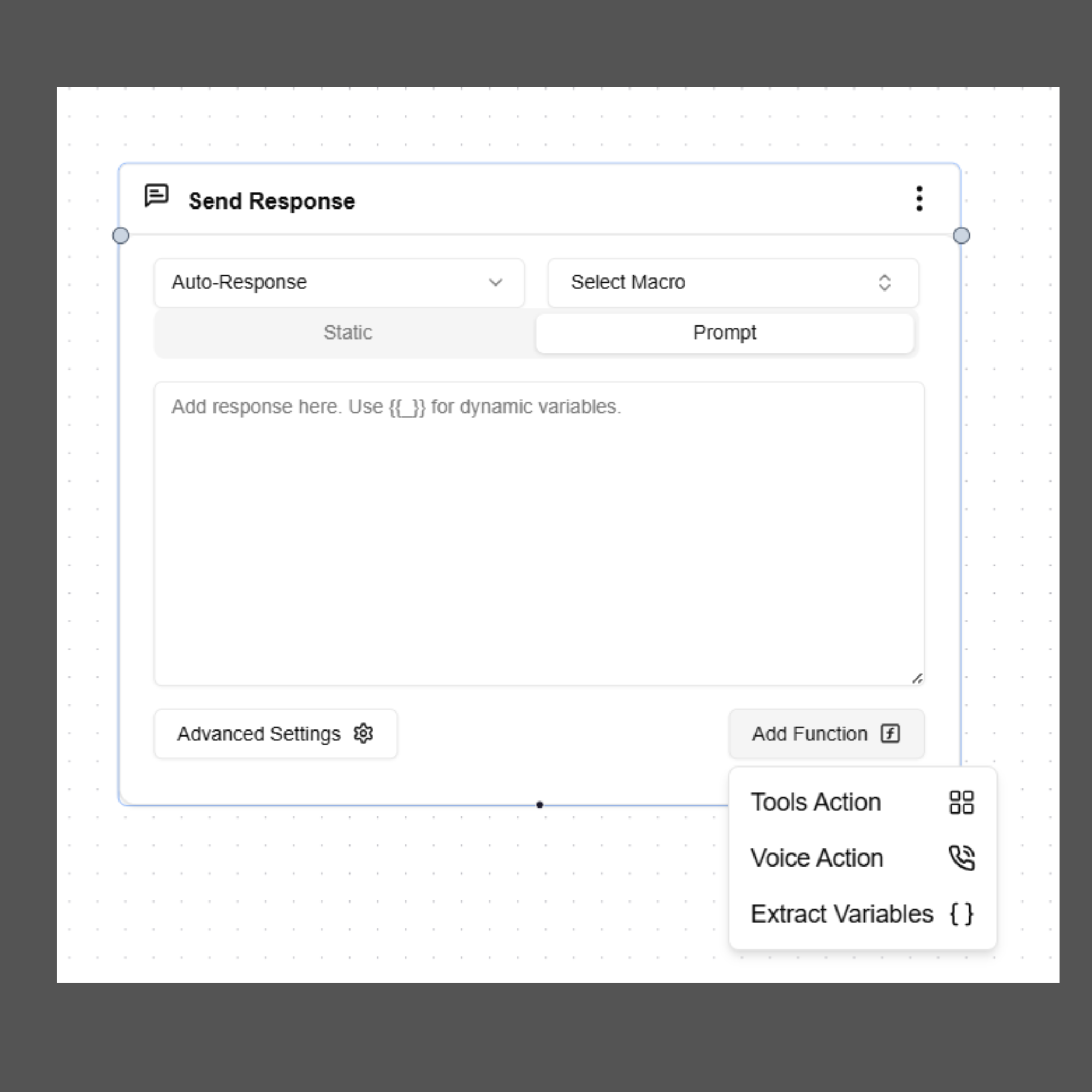 Supported function call types include:
**Voice Action**\
Control call behavior such as transferring a call or ending a call.
**Extract Variables**\
Capture structured data from the conversation for later use in workflows or integrations.
**Tool Action**\
Allow the agent to interact with external systems such as CRMs, databases, or scheduling platforms.
Refer to the individual node documentation to learn how to configure and use them within your agent workflows.
Supported function call types include:
**Voice Action**\
Control call behavior such as transferring a call or ending a call.
**Extract Variables**\
Capture structured data from the conversation for later use in workflows or integrations.
**Tool Action**\
Allow the agent to interact with external systems such as CRMs, databases, or scheduling platforms.
Refer to the individual node documentation to learn how to configure and use them within your agent workflows.